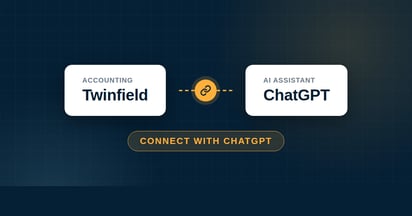
Connect your Exact Online administration to ChatGPT and ask your bookkeeping questions in plain language. From revenue comparisons to outstanding invoices, you ask and ChatGPT pulls it straight from your administration. You need a paid ChatGPT subscription with Developer Mode. Setup takes a few minutes.
Do you want to connect Exact Online with ChatGPT? With a paid ChatGPT subscription and Developer Mode, the connector is set up in a few minutes. After that you simply ask your bookkeeping a question in ChatGPT and get an immediate answer from your live administration in Exact Online.
Below you can read how to connect ChatGPT to Exact Online, what you can ask and what to watch out for. Are you looking for the general explanation, separate from a specific AI tool? You can find that in How does the Exact AI Connect connector work?
Does ChatGPT work with Exact Online?
Yes. ChatGPT works with Exact Online through Exact AI Connect, which uses MCP (Model Context Protocol), the open connection standard that gives an AI assistant access to external systems. You do need a paid ChatGPT subscription with Developer Mode. After that you add the connector once and ask your questions right in the chat.
Connecting Exact Online with ChatGPT, step by step
This is the connector link you add to ChatGPT:
https://mcp-exactonline.iwebdevelopment.com
Requires a paid ChatGPT subscription (Plus, Pro, Business, Enterprise or Education). On Plus and Pro you turn on Developer Mode yourself; with Business and Enterprise an administrator can arrange or restrict this. Developer Mode is still in beta.
1Go to Settings → Security and login and turn on Developer Mode. Confirm the notification.
2Go to Settings → Plugins (or open chatgpt.com/plugins directly).
3Click the plus button to create a developer-mode app.
4Give the connector a name (for example Exact AI Connect) and paste the connector link into the server URL field. Choose OAuth as authentication.
5Click Create. You will be redirected to Exact Online. Log in and click Authorise. You only have to do this once.
6Open a new chat, choose Developer mode from the + menu, turn on Exact AI Connect and ask your first question.
Tip: mention in your question that you want to use Exact AI Connect, so ChatGPT picks the right source straight away.
What can you ask ChatGPT about your bookkeeping?
With the connector active you put your questions directly to your figures. ChatGPT retrieves the data from Exact Online and can, once you approve, also prepare actions. For example:
"Give an overview of my costs per category this month."
"What is my expected cash flow for the next 30 days based on outstanding items?"
"Create an overview of my top 10 customers by revenue this year."
"Prepare this supplier invoice as a draft purchase invoice in Exact Online."
Requesting and preparing, then, and you stay in control. An invoice or email is first prepared as a draft and only processed definitively in Exact Online after your approval. You will find the full overview of what the connector can do in How does the Exact AI Connect connector work?
What does the connector cost?
Exact AI Connect has two subscriptions. Essentials costs € 29 per user per month and is meant for the daily requesting and updating of your administration. Analytics costs € 79 per user per month and adds an analysis layer for deeper analyses across larger datasets. Both include one administration; extra administrations receive tiered discounts (from € 15 per month). Everything can be cancelled monthly and you can try the connector free for 30 days first.
Your data stays in Exact Online. The authorisation runs through Exact Online itself, so you do not share a password with ChatGPT and you can revoke access whenever you want. More about how we handle security and privacy is available in the general connector article.
Prefer a different AI assistant?
The connector is not tied to ChatGPT. Do you prefer to work with another assistant? Then take a look at the instructions for Claude, Microsoft Copilot, Gemini or Perplexity.
Frequently asked questions
Yes. The connector runs through Developer Mode, which is only available on the paid plans: Plus, Pro, Business, Enterprise and Education. On Plus and Pro you turn on Developer Mode yourself, while on Business and Enterprise an administrator can arrange or restrict this. With a free account you cannot add your own connector.
Usually because the connector is connected but not active in that conversation. Turn on Exact AI Connect per chat via the + menu under Developer mode and mention in your question that you want to use that connector. If it still gets stuck, open a new chat or disconnect the app once in your settings and connect again.
Besides retrieving data, ChatGPT can also prepare actions, such as drafting a purchase invoice or writing a reminder. Everything is first prepared as a draft and only processed in Exact Online for real after your approval, so you stay in control.
Your data stays in Exact Online and the authorisation runs through Exact Online itself, so you do not share a password with ChatGPT. You can revoke access at any time. Write actions are also always prepared as a draft first, so nothing changes without your agreement.
You start with a 30-day free trial, no strings attached. After that you choose the plan that fits your usage. You will find the current rates on the Exact AI Connect page on the website.








.png)









.png?width=46&height=46&name=vecteezy_artificial-intelligence-ai-processor-chip-vector-icon-symbol_6662139%20(1).png)