














Which CRM do you connect to Exact Online? HubSpot, Salesforce, Pipedrive and ActiveCampaign
Four CRM systems that you connect to Exact Online, what goes back and forth, and four questions that determine which connector suits you.
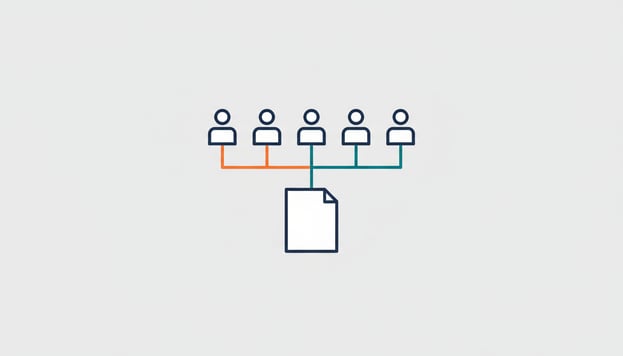
Your sales team works in a CRM, your bookkeeping in Exact Online, and every deal you win gets retyped somewhere between the two. Usually by someone who wasn't hired to do it. We often get the question "which CRM systems can I connect to Exact Online?", and the answer is less a list than a choice: what needs to go from CRM to bookkeeping, and what needs to come back? This article covers the four CRMs we connect, what each connector does exactly, and four questions to help you decide which one fits you.
What every connector has in common
All four connectors do three things. New contacts and companies in the CRM become relations in Exact Online, so you never create anyone twice. A won deal becomes a sales order or a sales invoice in Exact, whichever you prefer. And the connector runs automatically, without anyone pressing a button. You install them yourself, without technical knowledge, and cancel monthly.
The difference lies in what goes back to the CRM, and in the details per system.
HubSpot
The most complete of the four. Contacts and companies go to Exact, a won deal becomes an order or invoice, and booked invoices come back into HubSpot with their current payment status. Items and prices from Exact are available in HubSpot, so a deal has the right lines straight away. The connector synchronises every five minutes. Three subscriptions: CRM for 39 euros, Invoices for 59 euros and ERP for 79 euros per month, slightly lower with annual payment.
Choose the HubSpot connector if your account managers want to see the payment status in their own screen, without looking in Exact. That is the scenario from <a href="https://www.iwebdevelopment.com/blog/openstaande-facturen-crm">"Your account manager doesn't know which invoices are outstanding"</a>.
Salesforce
Accounts and contacts become relations, a won opportunity becomes an order or invoice, and items from Exact are available in Salesforce including price lists. Your sales team sees the payment status per customer. Salesforce environments are rarely standard; we build deviating data flows and complex interfaces as custom work. Fixed monthly rate, no installation costs; the price is on the product page.
Choose the Salesforce connector if you already work in Salesforce and don't want to adapt your processes to a connector. What is possible as standard and when it becomes custom work is explained in <a href="https://www.iwebdevelopment.com/blog/salesforce-exact-online-koppeling">connecting Salesforce to Exact Online</a>.
Pipedrive
Relations go both ways: changes in Pipedrive appear in Exact and the other way around. Won deals become orders or invoices, and booked invoices appear in Pipedrive with their status. It is the connector for teams that use Pipedrive as their daily working screen and want to do nothing in Exact. Fixed monthly rate, no installation costs, cancel monthly.
Choose the Pipedrive connector if your sales process is light and needs to move fast: <a href="https://www.iwebdevelopment.com/blog/pipedrive-exact-online-integratie">from lead to invoice in one flow</a>.
ActiveCampaign
Here the focus is on marketing. Contacts and companies become relations, including segmentation fields, and a won deal becomes an order or invoice. Optionally the payment information goes back to ActiveCampaign, so you can segment on who does and does not pay. Handy for anyone who runs campaigns based on customer behaviour and not on what sales has filled in.
Choose the ActiveCampaign connector if your CRM is mainly a marketing tool and you want invoicing data in your segments.
Four questions that determine your choice
- Where does the customer live? If your team sits in the CRM all day, the payment status has to be visible there. HubSpot and Pipedrive do this as standard, Salesforce too, ActiveCampaign optionally.
- Do you invoice from the CRM or from Exact? All four turn a won deal into an order or an invoice in Exact. If you want the invoice to be created in Exact (and get the numbering and the VAT there), choose "order" and invoice from Exact.
- How much customisation do you have? Standard connectors cover the standard process. If there is an own approval step, a different pricing structure or a second system in between, then Salesforce with customisation is the path.
- Do you want to be able to talk about it? If you use Exact AI Connect, you can ask your AI assistant questions about the connected data: "which won deals from this month have not yet been invoiced?" That is not a replacement for the connector, but a layer on top of it.
Benefits and points of attention
The benefit is simple: enter once, and the payment status without asking. Two things to arrange in advance. Make sure your relations in Exact are clean before you connect; a duplicate relation in Exact is not merged automatically. And agree who may change what: if the CRM is leading for address details, then let no one adjust them in Exact.
No connector yet? View all connectors for Exact Online →
Frequently asked questions
With a ready-made connector: HubSpot, Salesforce, Pipedrive and ActiveCampaign. All four create relations in Exact Online and turn a won deal into a sales order or invoice. Other CRMs can be connected with custom work.
With HubSpot, Salesforce and Pipedrive yes, as standard. With ActiveCampaign it is an option, meant for segmenting on payment behaviour.
The HubSpot connector costs 39, 59 or 79 euros per month, depending on the subscription. The other three have a fixed monthly rate without installation costs; the current price is on the product page. All connectors can be cancelled monthly.
Little. You install the connector yourself, without technical knowledge, and choose whether a won deal becomes an order or an invoice. Do make sure your relations in Exact are clean: duplicate relations are not merged automatically.
Yes, with Exact AI Connect you ask questions about the data in your administration, including the orders and invoices that come from your CRM. The connector itself is still needed to transfer the data.