.png)








Your CRM knows who buys, your accounts know who really pays
Sales knows the deal, the accounts know the payment. Here is how you bring those two halves of your customer picture together.
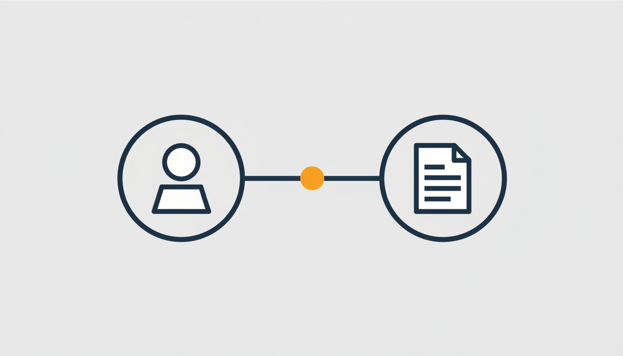
In your CRM a customer is an opportunity: contacts, call reports, a deal in the pipeline. In your accounting a customer is a row of invoices and payments. Two systems that are both convinced they know the customer, while each misses half the story.
Connect your CRM and accounting, and make the financial side queryable with AI, and those two halves finally come together. The division of roles between them matters, and it starts with a problem that anyone with a sales team recognises.
Two systems, two half customer views
Sales lives in the CRM, the administration in Exact Online. As long as those worlds stay separate, moments arise that everyone recognises. The account manager enthusiastically pitches an upgrade while invoices remain unpaid. Or the administration sends a reminder to exactly the customer with whom sales wants to close a big deal that week.
That is not down to the systems. A CRM is built to track opportunities, an accounting package to track money. The problem sits in the space between them: information that has to travel from one department to the other through stray emails and offhand questions, and usually arrives just a little too late.
Bring the payment status to your CRM
The first half of the solution is a connector between your CRM and Exact Online. The connectors from iWebDevelopment for HubSpot and Salesforce, and for Pipedrive too, synchronise companies, contacts and deals with your administration. A won deal automatically becomes a sales order, quotation or invoice (set up slightly differently per connector), and invoices flow back to the CRM including their current payment status.
That way sales sees before every conversation what the administration knew all along. No call to accounting, no second screen: the payment status simply sits on the customer card. To read how that changes your sales process, see our article about payment status in your CRM.
Put the financial questions to your AI assistant
The second half is the depth. A status on the customer card tells you that something is outstanding, not why that is interesting. For those questions you connect your own AI assistant through Exact AI Connect, for example Claude, ChatGPT or Copilot, directly to Exact Online. The connector uses MCP (Model Context Protocol), the open standard that connects AI assistants with software.
After that you ask your questions in plain English. What is this customer's revenue this year? Which invoices are outstanding and for how long? How quickly did they pay historically? For trends and top ten lists across larger datasets you use the analysis function, which is included in the trial period and in the Analytics variant of the subscription.
One thing we deliberately do not claim: the AI does not read along in your CRM. AI Connect queries your accounting, and the CRM connector brings the invoice and payment status to the place where sales works. Two separate routes that together complete the customer view.
Writing is also possible, from a draft invoice to a new relation, but always with an explicit confirmation step beforehand. And you decide per role who may write and who may only read.
From sales conversation to credit check
Take the annual review with a major client. The account manager opens the CRM and sees the deal history along with the invoices and their status. For the deeper layer he turns to the AI: revenue per month over the past two years, outstanding items, average payment term. Preparation that used to run through the administration department is now a short conversation with the assistant.
Or take the order that is far larger than what a client normally places. Great for revenue, nerve-racking for the risk. Ask the AI how this client paid over the past year and what is still outstanding, and within a few minutes you have a well-founded sense of the payment conditions. The AI flags the issue; you decide whether to ask for a deposit.
And then the quiet customer churn. A client who leaves rarely cancels; they simply order less and less. Ask each month which clients have shrunk by more than 20 percent compared to last year, and sales has a call list the CRM itself would never produce. The figures spot the decline sooner than the deal pipeline does.
Example prompts to get started
You put these questions directly to your connected AI assistant; replace client X with the relationship you want to examine:
What is the revenue of client X so far this year, and how does it compare to the same period last year?
Which invoices are outstanding for client X and how long have they been open?
How quickly did client X pay on average this year, and is that getting longer or shorter?
Which clients have shrunk by more than 20 percent this year compared to last year?
Want to try it yourself? Start for free with Exact AI Connect →
Frequently asked questions
No, and we say that honestly on purpose. Exact AI Connect queries your accounting package; the payment status in your CRM comes from the separate CRM connector. Together they cover the full customer picture: sales sees the status in the CRM, and you put the financial questions behind it to the AI.
Through the CRM connector, invoices from Exact Online appear in your CRM including the current payment status, right on the customer card. So your sales team does not need access to the accounts to know whether something is outstanding.
Yes. You ask the AI about the outstanding items, the ageing analysis and how quickly the customer has paid historically. Based on that you decide the payment terms yourself; the AI does not decide anything for you.
Yes, certainly when the permissions are set up well: you can limit write access per role or set the connector to read-only. Exact AI Connect is also ISO 27001 certified and independently pentested. If you choose Essentials, we store no financial data: every question goes straight to Exact Online. With Analytics, the larger analyses run on a secure copy of your administration within the EU, which we delete as soon as you stop.
You can try Exact AI Connect free for 30 days with all features; after that you pay €29 (Essentials) or €79 (Analytics) per user per month, cancellable monthly. The CRM connector has its own subscription and is also cancellable monthly.