.png)








Importing MT940 files manually? This costs you more than you think
MT940 is disappearing, SWIFT has been phasing out the MT940 standard since 2025. Discover why an automatic bank connector via PSD2 is smarter than switching to the CAMT.053 standard.
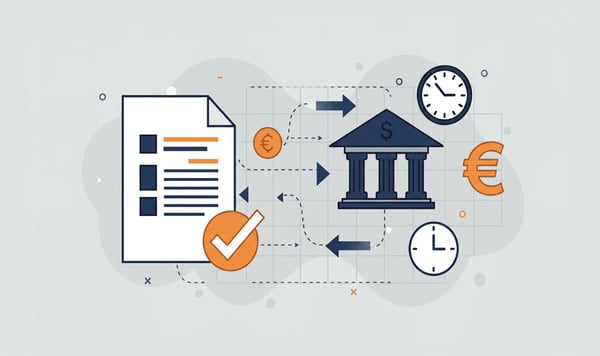
MT940 is disappearing. SWIFT is phasing out MT940 until it stops completely in 2027. BNG Bank already ended its support this past February. If your bookkeeping still runs on manual MT940 imports, now is the time to look ahead to the modern generation of bank connectors.
What exactly is MT940?
MT940 is a file format for bank statements. It was developed in the 1980s by the international payment network SWIFT. MT940 became the standard for loading bank transactions into accounting packages.
The principle is simple. You download a file from your bank, import it into your accounting software and process the entries. Millions of companies do this daily, weekly, or whenever they think of it, which already highlights the first problem.
Why MT940 is being replaced
SWIFT is replacing MT940 with CAMT.053, an XML-based format with more data per transaction. Think of more detailed payment references, structured address data and better support for international payments.
The real problem is that MT940 is a product of the batch era. You download a file, import it into your bookkeeping and hope everything is correct. In a world where payments happen in real time, that is no longer sustainable. Instant payments have become the norm within the EU, while batches always lag behind.
CAMT.053 is an improvement over MT940, but it remains a file you have to download and import manually.
The hidden costs of manual imports
Downloading and importing an MT940 file takes five minutes. That seems like nothing, but add it up. An average SME with two bank accounts spends 30 to 45 minutes a week on the complete process. Logging in at the bank, selecting the right date range, downloading the file, importing it into the bookkeeping, checking that everything loaded correctly and fixing any errors.
Over a year that is 26 to 39 hours. For an office with ten administrations you are looking at 260 to 390 hours a year. That is one and a half to two months of full-time work.
And that does not even include the indirect costs:
- Delay in your figures. As long as you do not import, your bookkeeping misses transactions. With weekly imports you are routinely three to five working days behind.
- Prone to errors. Selected the wrong date range? Imported twice? File from the wrong account? It happens more often than you think.
- Dependence on individuals. Who handles the import when the bookkeeper is ill or on holiday? With manual processes there is always a single point of failure.
CAMT.053 is not a solution
Some software vendors present CAMT.053 as the solution. The format is indeed better, with richer data and a better structure. But the import process stays the same. You still download a file, which you then still import manually. The data still lags behind.
Our experience is that the switch from MT940 to CAMT.053 gives companies a false sense of modernisation. You have a newer file format with more data, but still the same outdated process.
PSD2: the real step forward
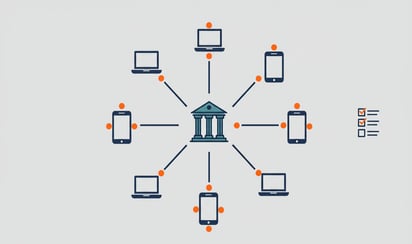
PSD2, the European payment directive, makes it possible to connect bank accounts directly to your accounting software. No more downloading files, no manual imports, but a direct connection between your accounts and your bookkeeping.
This works through so-called Open Banking APIs. You give permission once and from that moment on the connector retrieves your bank transactions automatically.
The difference is fundamental:
| MT940 / CAMT.053 | PSD2 bank connector | |
|---|---|---|
| How | Download and import file manually | Automatically via secure API |
| Frequency | When you think of it | Daily, automatically |
| Error sensitivity | Human errors at every step | Automated, <1% chance of error |
| Banks | Only your own bank | 2,300+ banks worldwide |
| Future-proof | MT940 stops, CAMT.053 is an interim solution | PSD2 is the European standard |
What does this mean for you?
If you use MT940 now, you have two options. You can switch to CAMT.053 and continue the same manual process. Or you can make the move to an automatic bank connector via PSD2.
We think the choice is clear. CAMT.053 is the status quo, PSD2 is the future.
An automatic bank connector is available from 7.50 euros per month. Weigh that against the hours you now spend on the manual process. At an hourly rate of 50 euros you earn back the investment in the first week.
The connector is up and running within 15 minutes. You do not need to install any software and your bank details stay with your bank, the connector only reads along.
ISO 27001
A bank connector touches your most sensitive company data. That is why you should choose a provider with an ISO 27001 certification, the international standard for information security. It means the party is audited annually on how they store, process and protect data.
Also check whether the connector is PSD2-compliant. That guarantees the connection runs through the official API of your bank and that your login details are never shared with third parties.
The deadline is approaching
MT940 is stopping, that is certain. SWIFT has set the end date and the banks are following. Whether you switch today or in six months, you have to do something.
The question is not whether you need to move away from MT940. The question is whether you switch to an already outdated system or to a structurally better solution that is ready for the future.
Want to know more about the different options for your bank connector? Read our comparison in Bank connector Exact Online: your options.
Do the maths yourself. View our bank connector →