.png)








Why your bank statements only appear in your bookkeeping after several days
Payments happen in 10 seconds, but your bookkeeping is days behind. Find out why that is and how an automatic bank connector solves it.
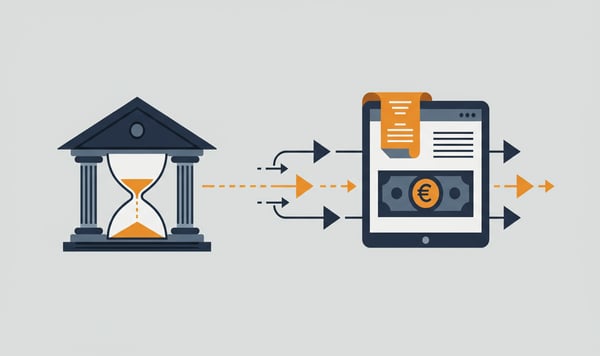
Since 2025, instant payments have been mandatory in the EU. A payment arrives in the recipient's account within ten seconds. But in your bookkeeping? There it still takes days before that same payment becomes visible.
That difference is bigger than you think.
The gap between paying and booking
Your customer pays an invoice on Monday morning. The money is in your account right away. But in Exact Online, Twinfield or AFAS, that payment only appears once you or your bookkeeper import the bank statements.
At many SMEs this happens once or twice a week. Sometimes less. The result is that your bookkeeping runs three to five working days behind reality. During busy periods that can stretch to two weeks.
Why does that delay exist?
The cause is simple. Most companies still use manual bank statements (MT940 or CAMT.053 files) to load transactions into their accounting package.
That process looks like this:
- Log in to the bank
- Download statements for the right period
- Import the file into the accounting software
- Check that all entries loaded correctly
- Correct any errors
Every step takes time. And every step is a moment where delay creeps in. Not because the technology cannot handle it, but because the process depends on human action.
The impact on your operations
Three to five days of delay may sound harmless. In practice it has concrete consequences.
Your cash flow overview is off. If you check in Exact Online on Wednesday afternoon how much is in your account, you miss every payment that has come in since the last import. You make decisions based on outdated information.
Outstanding items are not up to date. A customer calls to ask whether you have received their payment. You have to log in to the bank to check, because in your bookkeeping the payment is not there yet.
Payment reminders go out too early or too late. If you send reminders based on your bookkeeping, you drive away customers who paid long ago. If you wait too long to check, your debtor days go up.
Month-end closings take longer. At the end of the month everything has to happen at once: import all statements, check them, match them. What would take five minutes a day spread out becomes a job of hours at the end of the month.
Instant payments make it more urgent
Since the introduction of instant payments, expectations have changed. Customers and suppliers know that money arrives right away. They expect you to know that too.
"Has my payment been processed yet?" is a question you hear more and more often. If your answer is "I still have to import the bank statements", that no longer feels professional these days.
The world is speeding up. Payments are real-time. Bookkeeping that runs on batch processing no longer fits.
Automatic bank statements: how does it work?
Through PSD2, the European directive for Open Banking, you can connect your bank account directly to your accounting software. No files, no manual imports.
You give permission once through your bank. After that the connector automatically retrieves your transactions and loads them into your bookkeeping. Every day, without you having to do a thing.
The difference in practice:
| Manual import |
Automatic bank connector |
|
|---|---|---|
| Delay | 3-5 working days (or more) | Up to 24 hours |
| Action needed | Yes, with every import | No, fully automatic |
| Weekends/holidays | No import = no data | Keeps running |
| Multiple bank accounts | Download each account separately | All accounts in one connector |
What it delivers
The immediate gain is time. No downloads, no imports, no checks to see whether the file loaded correctly.
But the real value lies in being up to date. Your bookkeeping is always current. Your cash flow overview is accurate. Outstanding items are up to date. You can answer straight away when a customer calls about a payment.
For bookkeepers with multiple clients the effect is even greater. Instead of downloading and importing statements separately for each client, all connectors run automatically. That saves tens of minutes per client per week.
Multiple bank accounts? That is exactly when it pays off
Many companies have more than one bank account. A business account at Rabobank, a savings account at ABN AMRO, perhaps a foreign account for international trade. With manual imports you have to log in, download and import separately for each account.
With an automatic bank connector all your accounts come along. You connect them once and after that all transactions from all accounts flow into your bookkeeping automatically. The more accounts you have, the greater the time saving.
What do you need?
An automatic bank connector works with almost any Dutch business bank account. ABN AMRO, ING and Rabobank all support PSD2. In total more than 2,300 banks worldwide are connected, so you can link foreign accounts too.
The connector is operational within a day. You install no software and you share no bank details with third parties. The connection runs through the official API of your bank, secured according to the same standards as your online banking.
Want to know exactly how PSD2 works and what it means for the security of your data? Then read our explanation about PSD2 and Open Banking.
Want to try it yourself? View our bank connector →