Most purchase invoices arrive as a PDF in your mailbox. That is where the manual work starts: saving, opening, retyping. The Purchase Invoices module takes away that first step by making the mailbox itself the point of entry. In this article you will read exactly how that intake works: which address you get, what is and is not picked up, what happens after receipt and where things go wrong in practice.
Every administration gets its own email address
As soon as you activate the module for an administration, you receive a unique email address with it. That address belongs to that administration: whatever comes in on it is processed in that administration. If you have three companies, you have three addresses. That way nobody has to work out afterwards where an invoice belongs, and that is exactly the question that causes the most errors with a shared bookkeeping mailbox.
You can use the address in two ways. Forwarding it yourself, from your own mailbox, is the quickest start. More structural is giving the address to your suppliers, or creating a rule in your email program that automatically forwards everything with "invoice" in the subject line. Then you no longer have to deal with it yourself.
What is picked up, and what is not
The module only looks at attachments that could be an invoice: PDF files and structured e-invoices in UBL (the format behind Peppol). An email without such an attachment does nothing. A signature image, a logo or an attached Word letter is ignored. If the invoice is in the body of the email itself instead of as an attachment, it is not recognised; in that case ask the supplier for a PDF.
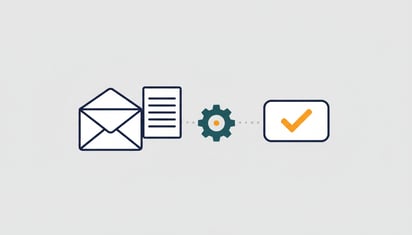
With a UBL file nothing needs to be read: the data is already structured within it. With a PDF, AI reads the invoice the way a bookkeeper does: supplier, number, dates, lines, VAT and total.
What happens after receipt
Within a few minutes of arrival the invoice has been read and runs through the checks: does the sum add up, has it been processed before, is the supplier in Exact, is the VAT code correct, has the account number changed. The booking proposal is then ready in the control centre, and the person who codes invoices receives a notification. If you prefer one overview per day rather than an email per invoice, you can set it up that way.
What you never have to do: clear out the mailbox yourself. After processing the invoice is in the module, and after approval it is attached to the booking in Exact Online.
Four pitfalls when forwarding
Duplicate attachments. Some email programs attach the file twice when forwarding. That is no disaster: a PDF that has already been processed is recognised by its content and held back as a duplicate. But it does produce a notification that you have to dismiss. Forwarding as an attachment, instead of inline, usually prevents it.
One email, several invoices. If a supplier sends five invoices in one email, they become five separate invoices in the module. That is intended. Just watch out for emails that also include a specification or a packing slip as a PDF: that is read as an invoice and comes back with the question of what to do with it.
An invoice from an unknown supplier. That is not silently created in Exact. The module searches by name, VAT number, Chamber of Commerce number and IBAN; if there is no match, it presents the candidates to you. Once connected, it recognises that supplier the next time.
A poorly scanned invoice. AI reads a skewed photo or a PDF three pixels wide no better than you do. The invoice then comes back with a request for a better copy, instead of a neat-looking guess. We think that is the right choice, even if it costs an extra email.
Through your AI assistant too
If an invoice is already on your desktop, you do not have to email it first. "Process this invoice in the administration of company X" with the file attached does the same thing, and you get the booking proposal back in the conversation.
How to get started
Activate the module under Modules in your account, choose the administration and copy the email address. Send it the last three invoices you still had to book. After a few minutes you will see what the module makes of them, and then you will know enough.
Ready to get started? Start your free trial →