.png)








Automatic reconciliation in Exact Online: bank, Mollie, Adyen and Stripe
Payouts from Mollie, Adyen or Stripe rarely match your invoices one to one. Here is how AI prepares the reconciliation work so you can confirm the entry.
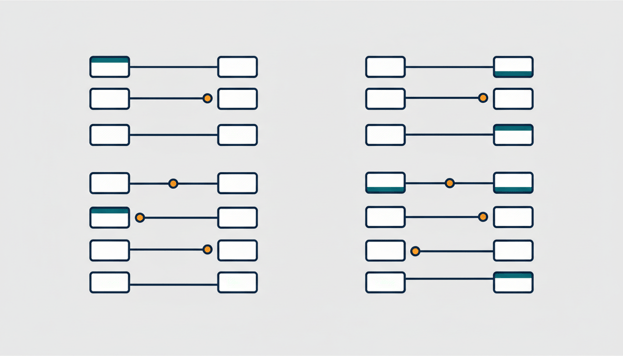
The regular payments are neatly matched, and yet the bank ledger is still open. What remains is the pile every webshop knows: payouts from Mollie that match no invoice amount, a Stripe deposit with fees deducted, a customer who paid in two parts. So the reconciliation in Exact Online gets pushed to Monday. Again.
That pile is exactly where reconciliation hurts: not with the simple payments, but with everything that runs through a payment provider. Why do those lines in particular keep piling up? And more importantly, how do you clear them with an AI assistant in minutes after all, without giving up control?
Why payouts from Mollie, Adyen and Stripe never match cleanly
A payment provider does not pay out per order, but in bundles. One bank line covers a whole series of orders from a day or a week. Before the money reaches your account, the transaction fees have already been deducted, and any refund is settled within the same batch. So the amount on your bank statement does not match an invoice one to one, nor the sum of your invoices.
Done manually, this means pulling up your provider's payout overview, adding up transactions, filtering out fees and connecting them post by post. For an accountant this is thankless routine work; for an entrepreneur it is the job that keeps getting left. And the longer it stays there, the less your bank ledger tells you about who has actually paid.
How reconciliation works via the AI connector
With Exact AI Connect you connect your own AI assistant, such as Claude or ChatGPT, directly to Exact Online. This runs via the Model Context Protocol (MCP), which lets AI assistants safely access your software. You can read how it works under the hood in our explanation of the connector.
The reconciliation itself feels like consulting a colleague. You ask which bank lines from this month have not yet been reconciled. Then you have the AI place the outstanding items alongside each payment: which invoices match this payout of 12 July? The AI comes up with a match proposal, names what does not add up, and you assess it.
Important for anyone now raising an eyebrow: nothing is booked without your explicit approval. Every write action, including a reconciliation entry, is first presented with a confirmation step. If you say nothing, nothing happens. That way you keep the pace of automation and the control of manual work.
Clear partial payments and small differences too
If a customer pays an invoice in two parts, you reconcile the portion received and the rest simply stays outstanding. If a small difference remains after matching, for example due to rounding or withheld fees, you write it off as a payment difference to the account you use for that. This too is a proposal you confirm, not a silent write-off in the background.
The connector can tie together different types of lines: invoice lines, bank lines and journal entries. This is exactly what is needed with payment providers, because the payment and the fees rarely land in the same place in your administration.
The AI proposes, you decide
Not every bank entry is solved with a good matching proposal. A chargeback that comes back months later, a payout that no longer lines up with the provider overview because of refunds, an old item under investigation without a clear counterparty: that remains reconstruction work for a person who knows the file. The AI gets the pieces ready and does the calculations, but the decision about what you book is yours or your accountant's.
If you want to set that boundary firmly, you can. You limit write rights per role, put a user on read-only or set a daily limit. How you arrange that is explained in our article about preventing unwanted AI actions. For the accountant reading along: the connector is ISO 27001 certified with public pentest results, and we only store financial data with the Analytics subscription, in a secure analysis environment within the EU that we delete as soon as you stop.
Frequently asked questions
Can AI reconcile automatically in Exact Online?
Almost. The AI finds the matches, including with bundled payouts from payment providers, and prepares the booking. The actual booking only happens after your confirmation. Fully automatic without a human check is deliberately not the case.
How do I reconcile a Mollie payout in Exact Online?
Ask the AI which outstanding invoices fit the payout. Because Mollie pays out in bundles and withholds fees, the AI looks at combinations of items rather than a single amount. You then book any remaining difference, with confirmation, as a payment difference.
Does this also work with Adyen and Stripe?
Yes. For reconciliation the payment provider makes no difference: the AI works with the bank entries and outstanding items in Exact Online, regardless of who pays out.
Does the AI write off payment differences itself?
No. The AI proposes the write-off, including the amount and contra account, and only books after you approve. If you want no write actions at all, you set the connector to read-only.
What does it cost to try this?
You start with 30 days free, with all features and up to 3 administrations during the trial period. After that Essentials costs €29 per user per month and Analytics €79, cancellable monthly and without start-up costs.
Example prompts for your first reconciliation session
Copy these questions into your connected AI assistant and replace the amounts with your own figures:
Which bank entries from this month have not yet been reconciled?
Which outstanding invoices match the payment of 12 July of 1,250 euros?
Reconcile invoice 2026-0142 against that payment.
Write off the remaining difference of 0.02 euros to the payment differences account.
Ready to get started? Start your free trial →
Frequently asked questions
En dit is het antwoord.