.png)








Your account manager doesn't know which invoices are outstanding, a missed opportunity
Your account manager doesn't know which invoices are outstanding. That costs you client relationships, revenue and collection opportunities. Here's how to prevent it.

The phone call starts well. Your account manager calls a large client for the annual contract renewal. Well prepared, new proposal value worked out, upsell opportunity spotted. Then the client says: "Let's first talk about that 15,000 euros that has been outstanding for three months." Silence. Your account manager had no idea.
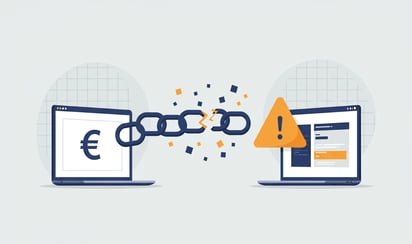
This is what happens when outstanding invoices are not visible in your CRM. Sales keeps calling cheerfully while finance has a completely different picture of the client relationship. The result: awkward conversations, missed signals and, in the worst case, revenue you never get back. Read more about the Salesforce integration options to prevent this.
The sales-finance disconnect
In most organisations, sales and finance live in separate worlds. Sales works in the CRM: HubSpot, Salesforce or Pipedrive. Finance works in Exact Online. The data hardly overlaps.
This leads to situations everyone recognises but no one solves:
The contract renewal: Your account manager prepares a proposal with a 10% discount to retain the client. What he does not see: the client has three outstanding invoices and structurally pays late. Finance blocks the deal and sales is frustrated, they would have wanted to know this in advance.
The upsell that is no upsell: A colleague calls enthusiastically about expanding the services. The client reacts coolly. Understandable, he has just received a payment reminder. Your AM should have known that before calling.
The support escalation: A client calls angrily about a technical problem. Support does everything possible to solve it. What no one on the team sees: this client has not paid for 90 days. The urgency with which you handle this problem would be different if you had known that.
What data is your sales team missing?
Everything you need is in Exact Online. The problem is that this data does not reach the people who have client conversations.
This is what your account managers should see before they call a client:
- Outstanding invoices: the Receivables with status Open (20) or Selected for payment (30). Not only the amount, but also how long it has been outstanding.
- Payment history: does this client pay on time on average, or structurally 30 days late?
- Credit limit: is a limit set, and how close is the client to it?
- Last payment date: when did this client actually pay for the last time?
Without this information, sales holds conversations based on an incomplete client picture. That is not a reproach to your team, it is a system problem.
What this costs
The figures are clear. According to the CBS, on average 12% of outstanding receivables become uncollectable. The longer an invoice stays outstanding, the smaller the chance that you will still receive the amount.
Early intervention makes a big difference. Companies that spot payment arrears early and act on them actively see up to 40% more success in collecting outstanding amounts.
And then there is the less measurable damage. An account manager who has a conversation two or three times a week without knowing there is a payment problem damages the relationship. Not on purpose, but the effect is the same. The customer thinks: "They don't even know I have an issue with their invoices."
What this looks like per CRM
The solution is conceptually simple. Make sure invoice data from Exact Online becomes visible in your CRM. The implementation differs per platform.
HubSpot
HubSpot works with custom properties at company and deal level. You can create fields for outstanding amount, oldest outstanding invoice and payment score. Through a connector with Exact Online you synchronise the invoice status back to HubSpot, so sales can see the current situation in their own environment.
iWebDevelopment offers a standard connector that syncs this data back automatically. No manual work, no export-import cycle.
Salesforce
Salesforce has custom fields at Account and Opportunity level. For enterprise organisations the combination with Agentforce and Data 360 is interesting, as that layer aggregates customer data across all Salesforce Clouds. But that aggregation is only valuable when ERP data flows in as well. Without the connector with Exact Online, Data 360 misses the financial picture.
Pipedrive
Pipedrive focuses on SMEs and has an Invoicing App Extension with its own status API. Custom fields at organisation and deal level give your team insight into outstanding amounts. The connector syncs invoice status updates straight back to Pipedrive.
What changes when you solve this?
The difference is not in the technology. The difference is in the conversations your team has.
An account manager who sees before calling that 8,000 euros is outstanding starts the conversation differently. Not with an upsell, but with: "I see there are still a few invoices open, can I help with that?" That is not an awkward moment. That is proactive service.
Finance no longer needs to chase sales to block deals. The information sits right in the CRM, visible to everyone who needs it.
And you avoid the worst scenario, a customer who does not pay for months while your team happily keeps working with them as if nothing is wrong.
What to watch out for
A connector between your ERP and CRM touches financial customer data. Choose a party that is ISO 27001 certified and that, as an official Exact Online partner, has the right access and knowledge. Make sure the synchronisation runs automatically. A connector you have to trigger manually does not solve the problem.
The connector should be cancellable monthly. If it does not work for your team, you should be able to drop it without any hassle.
It starts with visibility
The disconnect between sales and finance is not a human problem. It is a data problem. Your account managers want to have the right conversations, they just lack the information to do so.
Outstanding invoices do not belong only in your bookkeeping. They belong in the system your team works with every day.
Want to know more about how payment status works in your CRM? Read Payment status in your CRM for sales.
Want to try it yourself? View the Salesforce connector →