.png)








Feeding payment status back to your CRM for sales
Sales calls, finance doesn't know, the customer is frustrated. You can prevent this with payment status in your CRM. Here's how to connect it back.
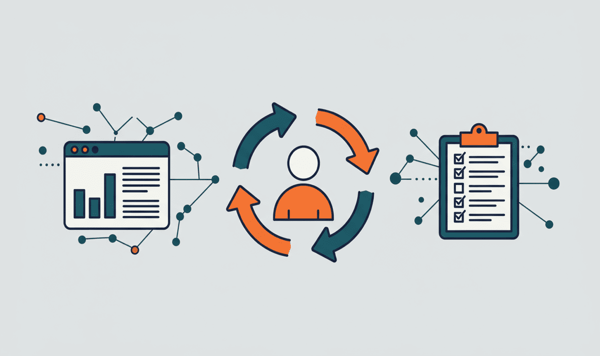
Your sales team needs a 360-degree view of the customer to have good conversations. But that view is incomplete if payment status never reaches CRM sales. The revenue figures sit in your CRM, the payment data in Exact Online, and those two do not talk to each other. The result: your account manager calls a customer about an upsell while that same customer has three unpaid invoices.
The solution is structural, not incidental. By automatically feeding payment data back from Exact Online to your CRM, you give sales the context they need. In this article we show which data you feed back, how that works per CRM platform and what it delivers for your team in concrete terms.
Which payment data do you feed back?
The connector pulls five data points from Exact Online and syncs them to your CRM:
Invoice status. Every invoice runs through a lifecycle: draft, sent, partially paid, fully paid or expired. That status is worth its weight in gold for sales. A customer with three sent invoices, two of which have expired, calls for a different conversation than a customer who pays everything neatly on time.
Outstanding amount per customer. Exact Online tracks this through Receivables: outstanding debtors with status Open (20) or Selected for payment (30). The total outstanding amount per contact gives your team an at-a-glance insight into the financial health of the customer relationship.
Average payment term (DSO). Days Sales Outstanding per contact tells you how quickly a customer pays on average. A DSO of 15 days is excellent. A DSO of 65 days with a payment term of 30 is a signal your account manager needs to know.
Last payment date. Simple but powerful. If the last payment was six months ago, you know enough.
Credit limit and usage. Some customers have an agreed credit limit. If a customer is at 90% of that limit, that is relevant for everyone talking to that customer.
How this works per CRM
The way payment data lands in your CRM differs per platform. The principles are the same, the implementation is not.
HubSpot
HubSpot works with custom properties on Company records. The connector creates fields for outstanding amount, DSO, invoice status and credit limit usage. With every synchronisation those fields are updated.
Where HubSpot really excels are the automations around it. You can build workflows that trigger on specific events, for example "invoice expired". That workflow automatically creates a task for the account manager: "Call customer X, invoice Y has been open for 30 days." No manual work, no forgotten follow-ups.
Timeline events give the whole team chronological insight. The invoice status appears next to emails, calls and deals on the same timeline. That is the 360-degree customer view in practice.
And with Breeze AI (HubSpot's AI layer) agents can include payment data in their context. A Breeze agent that assesses a customer for an upsell campaign automatically weighs in the payment history. That is not a distant dream, it works now.
Salesforce
Salesforce uses custom fields at Account level. The payment data appears directly on the Account record, visible to everyone with access.
The strength of Salesforce lies in the reporting options. You can build Reports and Dashboards that show financial KPIs next to sales KPIs. Pipeline value next to outstanding amount. Win rate next to average payment term. That gives management a more complete picture than sales metrics alone.
For enterprise organisations the combination with Agentforce is interesting. Data 360 integrates customer data across all Salesforce Clouds, and with the ERP connector payment data flows directly into that AI agent context. An Agentforce agent qualifying a lead sees not only the deal history but also the payment behaviour.
Pipedrive
Pipedrive focuses on SMEs and keeps it simple. Custom fields on Organization records show outstanding amount, invoice status and DSO. No configuration overkill, exactly what a sales team needs.
Pipedrive's Invoicing App Extension offers its own invoice status API. Through that route the connector sends status updates directly to Pipedrive. Invoice sent, invoice paid, invoice expired: it appears in real time on the Organization record.
Five concrete benefits for your sales team
1. Better conversation preparation
Your account manager opens the CRM record and sees in ten seconds how the customer is doing. No more surprises in conversations. No situations where the customer brings up unpaid invoices while your AM knew nothing about it.
2. Automatic alerts for expired invoices
A CRM workflow that triggers on "invoice expired" creates a task for the right person. Finance no longer has to manually flag which customers are behind. The system does it.
3. Smarter upsell timing
Do not pitch to a customer with payment arrears. That sounds logical, but without the data in your CRM sales simply does not know this. With payment status in your CRM you can filter upsell campaigns to customers who pay well, and give the rest a different route.
4. Customer segmentation by payment behaviour
Divide your customer base based on payment behaviour. Customers who always pay on time: gold. Customers who are regularly late: silver. Customers with structural payment problems: bronze. That segmentation determines not only your sales approach, but also your service levels and credit management.
5. More accurate forecasting
A pipeline of 500,000 euros says little if 30% of those customers structurally pay late. By weighing payment reliability into your forecast, you get a more realistic picture of expected cash flow. That is information finance and management can use too.
The figures
Organisations that make payment data structurally available for sales see measurable results. Benchmark research shows that customer satisfaction rises by 15 to 25%, simply because conversations align better with the customer's actual situation.
Collection results improve by 10 to 15%. Not by chasing harder, but by spotting things earlier. An account manager who calls in week two with "I see there is still an invoice outstanding, can I help?" has more effect than a reminder in week eight.
What to watch out for with the connector
Payment data is sensitive information. Not everyone in your organisation needs to see the outstanding amount of every customer. Make sure your CRM permissions are set up properly. Custom fields can be made visible per team or role.
Choose a connector partner that is ISO 27001 certified and, as an official Exact Online partner, has the right knowledge and access. Independent pentests give extra assurance that your customer data is protected.
The synchronisation must run automatically. A connector that you have to trigger manually, or that only syncs once a week, does not solve the problem. Payment status changes daily. Your CRM must keep up with that.
And it must be cancellable monthly. No annual contracts, no lock-in.
From incomplete to 360 degrees
Feeding payment status back to your CRM is not a nice-to-have. It is the missing link between sales and finance. Without that connector your team has conversations based on half a customer view. With that connector they know exactly where they stand, before every call, every email, every proposal.
The technology is there. The integrations exist. The difference lies in the decision to do it.
Want to try it yourself? View the HubSpot connector →
Prefer a different CRM? Salesforce connector → | Pipedrive connector →