.png)








Entering orders manually costs you 20 hours a week, and it does not have to
You open Exact Online. Next to it your webshop. And then the copying starts. Order number, customer name, address details, product codes, quantities and VAT amounts, retyping field by field from one screen to the other.

It is Monday morning, and your inbox is already full
You open Exact Online. Next to it your webshop. And then the copying starts. Order number, customer name, address details, product codes, quantities and VAT amounts retyping field by field from one screen to the other.
Halfway through order 23 the phone rings. A customer calls about a wrong delivery. You note it on a Post-it and continue entering. By lunchtime you are on order 47. Half way.
Sound familiar? Then you are not alone. But you pay a price for it that you have probably never calculated.
Do the math with us
Let us make it concrete with figures we come across daily at e-commerce companies in the Netherlands.
Take a webshop with 200 orders a day. Not extreme, but a healthy medium-sized shop. Per order you spend three minutes on average on manual entry into your accounting. That sounds like little.
200 orders x 3 minutes = 600 minutes. Ten hours a day.
With a five-day working week that is 50 hours. More than a full-time working week, just on order entry. Even if you do it more efficiently and sit at four to five minutes including checks, you easily reach 20 hours a week for 100 to 150 orders a day.
Those are not estimates out of thin air. Research by Conexiom shows that companies processing 15,000 orders a year manually spend between $200,000 and $350,000 on labour costs. Converted to Dutch proportions, that is tens of thousands of euros a year, purely on typing.
The hidden costs of errors
Time is not even the biggest problem. Errors are.
With manual entry the error rate lies between 1% and 5%. That sounds acceptable, until you work it out. With 200 orders a day, 2% errors means four wrong bookings. Every day.
What does such an error cost? On average €50 to €75 per incident, if you are lucky. Those are costs for credit notes, returns, customer service time and correction entries in your administration. Some errors you only discover during the VAT return. Or worse, during an audit.
On a yearly basis you are talking about hundreds of errors and thousands of euros in repair costs. And that is without mentioning the customers you lose because they received a wrong product or a double invoice.
What exactly does automation do differently?
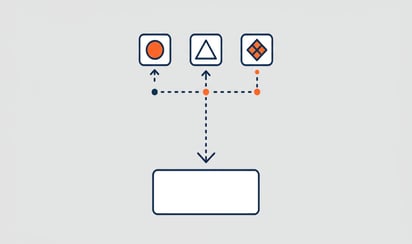
Processing orders automatically means that your webshop orders end up in Exact Online without human intervention. No copying, no retyping, no Post-its.
Here is how it works in practice:
- Customer places an order in your WooCommerce, Shopify, Magento or Lightspeed webshop
- The connector picks up the order: iWebDevelopment connectors do that every 5 minutes
- Automatic matching: article codes, customer details, VAT rates and payment terms are linked to the right records in Exact Online
- A sales order or invoice is created: in your bookkeeping, complete and correct
- Stock is updated: so your webshop shows current availability
The whole process takes seconds. Without anyone having to keep an eye on it.
The numbers after automation
The Institute of Finance and Management calculates the time saving on automated order processing at 70%. That is not a marketing claim; it is an average across thousands of implementations.
Back to our sample calculation. Those 20 hours a week? After automation you are left with 6 hours. Fourteen hours a week back. Per month that is almost 60 hours, a week and a half of work.
And the accuracy? Automated systems reach 99.96% according to research by DocuClipper. With 200 orders a day that means not four errors, but at most a single one per week.
Fewer errors = fewer credit notes = less customer service time = lower operational costs. It works like a cascade.
What would you do with 14 extra hours?
This is the question that really matters. Because those hours are there. They are now hidden in copy work.
Fourteen hours a week is enough to:
- Expand your range with new product lines
- Set up marketing campaigns that increase your revenue
- Improve customer service with personal follow-up
- Analyse your margins and adjust where needed
- Open a new sales channel: add Bol.com or Amazon, without extra manual work
That shift from administrative work to valuable work is exactly what automation is about. It is not a luxury for large companies. It is basic logic for every entrepreneur who is growing or wants to grow.
But does it suit my situation?
A fair question. Not every connector is the same, and not every webshop has the same requirements.
What to look for when choosing a solution to process orders automatically:
Which platforms are supported? You want your current webshop, but also any marketplaces such as Bol.com and Amazon, to connect smoothly to Exact Online.
How quickly does the connector synchronise? Once a day is too slow if you sell from stock across multiple channels. Every 5 minutes is a healthy frequency.
What happens with exceptions? Think of orders with unknown products, customers without a VAT number, or orders in foreign currencies. A good connector reports this and lets you handle it, without the rest coming to a halt.
Is it secure? You are sending financial data across the line. ISO 27001 certification is no unnecessary luxury.
Want to dive deeper into the selection criteria? Then read our article on how to choose the right webshop connector.
A cost-benefit analysis
Let's finish the calculation.
The cost of working manually:
- 20 hours/week x €35 gross employer costs = €700/week = €36,400/year
- Error costs: 4 errors/day x €60 average x 250 working days = €60,000/year
- Total: almost €100,000 per year in direct and indirect costs
The cost of automation:
- A connector at iWebDevelopment starts at €9.95 per month
- Installation takes 10 minutes, no implementation process of weeks
- 30 days free trial, so you see the result before you pay
The difference is so large that the payback time can be measured in days, not in months.
The first step
You do not have to change everything at once. Start with a connector for your most important sales channel. See how it goes. After that, add your other channels.
Want to know more about how the connector between your webshop and Exact Online works technically? Then read how the Exact Online webshop connector works in practice.
Do the maths yourself. View our webshop connectors →