.png)








Connecting Exact Online to your webshop: how it works in 2026
Somewhere between the moment a customer clicks "order" and the moment that order sits neatly in Exact Online, there is a gap. For some webshops that gap lasts a few hours. For others a few days.
The bridge between sales and accounting
Somewhere between the moment a customer clicks "order" and the moment that order sits neatly in Exact Online, there is a gap. At some webshops that gap lasts a few hours. At others a few days. And with a surprisingly large group it lasts until the end of the month, when everything gets entered at once.
An Exact Online webshop connector closes that gap. Automatically, continuously, without intervention. But how exactly does such a connector work? What goes back and forth? And what do you need to get started?
Why a connector becomes necessary
You still enter the first twenty orders per day by hand. It is not fun, but it works. As soon as your webshop grows, that changes. Orders come in from multiple countries, with different VAT rates. Customers pay with iDEAL, credit card or afterwards. You sell through your own shop and through a marketplace. And then there are the refunds, the partial payments, the shipping costs.
Every manual step is a chance for errors. A wrong VAT rate, an order entered twice, a payment that does not get matched. These are not hypothetical problems, they are the complaints accountants hear most often from webshop owners.
A connector takes over those manual steps. Not by simplifying them, but by eliminating them completely.
How an Exact Online webshop connector works
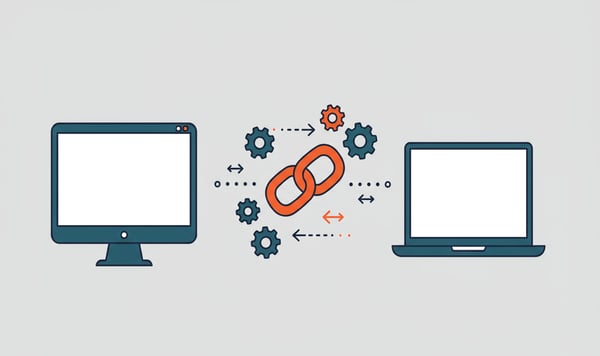
The principle is simple. Your webshop and Exact Online are connected to each other through an intermediate layer: the connector. That intermediate layer reads data from your webshop, translates it into the right format and sends it on to Exact Online. And the other way around.
Updated every five minutes
The synchronisation runs continuously. Every five minutes the connector checks whether there is new or changed data. An order that comes into your webshop at 14:03 sits in Exact Online by 14:08 at the latest. Including all details: customer name, items, quantities, prices, VAT and any discounts.
That means your accounting is always up to date. Not at the end of the day, not at the end of the week, but within five minutes.
Not one-way traffic
Most connectors work in two directions. Not only from webshop to Exact Online, but also back. Do you change an item price in Exact Online? Then it is automatically updated in your webshop. Do you adjust stock after a physical count? Your webshop shows the correct level within minutes.
That two-way synchronisation prevents a common problem: stock differences. Nothing as annoying as a customer who orders a product that turns out to be sold out, because your webshop and your accounting were not in sync.
What data goes back and forth?
A connector does not simply send "everything" through. The data is structured into four categories, each with its own function.
1. Orders and invoices
The core of every connector. As soon as an order comes in, it is created as a sales invoice or sales order in Exact Online. All details come along: item lines, quantities, prices, VAT codes, discounts and shipping costs.
With a refund it works the other way around. The credit invoice is created automatically and linked to the original order. No manual searching, no separate entries.
2. Customer data
New customers are created automatically as debtors in Exact Online. Existing customers are recognised based on email address or customer number and linked to the right debtor record. Address changes are synchronised.
This prevents duplicate debtors, a problem that is almost unavoidable with manual entry. After a year you are then not dealing with 800 unique customers, but with 1,200 debtor records, 400 of which are duplicates.
3. Products and items
Items in your webshop are linked to item records in Exact Online. SKU codes, descriptions, sales prices and purchase codes go back and forth. Do you add a new item in Exact Online? Then it appears in your webshop. Do you adjust a price in your shop? Then it is updated in your accounting.
4. Stock
Stock movements, such as those from online sales, returns or manual corrections, are processed automatically. Your webshop always shows the current stock level as it stands in Exact Online.
For webshops that sell through multiple channels, this is essential. If you sell the same item through your own webshop and through Bol.com, then a sale on one channel must be immediately visible on the other. Otherwise you sell more than you have in stock.
Which platforms can you connect?
The connector works with the most widely used e-commerce platforms and marketplaces in the Benelux.
Webshop platforms:
- WooCommerce
- Shopify
- Magento
- Lightspeed
Marketplaces:
- Bol.com
- Amazon
For each platform there is a specific connector that takes into account the particular rules of that platform. The way Shopify sends orders differs from how WooCommerce does it, and a Bol.com order has different characteristics than an Amazon order. The connector translates those differences into a uniform format in Exact Online.
What does it cost?
The costs depend on which data you want to synchronise. There are four packages, each geared to a different type of webshop.
| Package | Price per month | What it syncs |
|---|---|---|
| Financial | €9.95 | Customers + entry lines |
| Invoices | €18.95 | Invoices + items + customers |
| Trade | €23.95 | Orders + items + stock |
| Trade ERP | €39.95+ | Two-way sync orders + stock |
Most webshops choose the Trade package. That covers the full flow from order to entry, including stock management. The Financial package is suitable if you only want to automate the accounting side, for example if you do not manage stock through Exact Online.
All packages can be cancelled monthly. There is no annual contract, no notice period and no fine-print obligations. You can try it free for 30 days.
Preparing: what needs to be in order?
Before you activate the connector, it is wise to check a few things in Exact Online. The connector is only as good as the foundation it runs on.
Consult with your accountant
This is step zero. Your bookkeeper or accountant knows how your administration is set up. Which general ledger accounts you use, how your VAT codes are configured, whether you work with cost centres. That setup determines how the connector processes your orders.
A brief conversation beforehand prevents you from discovering after three months that all sales invoices are on the wrong general ledger account.
Choose a reference date
You do not have to synchronise your entire order history. Choose a date from which new orders are processed automatically. Everything before that stays as it is. That keeps things clear and prevents double entries of orders you have already entered by hand.
Check your item master data
If you want to synchronise products, make sure your items in Exact Online have the right SKU codes. The connector matches items based on those codes. Without consistent SKUs, duplicate item records or mismatches arise.
Installation: faster than you think
Installing an Exact Online webshop connector takes ten minutes on average. You log in with your Exact Online account, select your administration, connect your webshop platform and configure the basic settings. The connector is active straight away.
Would you rather have someone look along with you? Then you can opt for an installation service. A specialist sets up the connector together with you and makes sure everything is configured correctly, from VAT mapping to general ledger accounts.
Security: what about your data?
A fair question. You are connecting two systems with sensitive company data: customer details, financial data, order information. That has to happen safely.
The connectors from iWebDevelopment are ISO 27001 certified. That is the international standard for information security. It means there are demonstrable processes for data protection, access management and incident handling.
More concretely: the connector does not store any data. It acts as a pass-through, the data is read from your webshop, translated and sent on to Exact Online. Or the other way around. Nothing is kept in the meantime on external servers.
In addition, iWebDevelopment is an official Exact Online partner. The connector uses the official Exact Online API, with OAuth authentication and encrypted connections.
Why 2000+ companies use this connector
iWebDevelopment has specialised in connectors between webshops and accounting packages for more than ten years. More than 2000 companies use a connector every day to automate their administration.
That is no coincidence. The combination of fast synchronisation, broad platform support and a low barrier to entry (30 days free trial, installation in ten minutes, monthly cancellation) makes it a logical step for most webshops.
The technical side is solved. The choice of which connector suits your situation depends on your platform, your order volume and the way your administration is set up. But the starting point is the same for everyone: a webshop that talks to Exact Online, without you having to sit in between.
Want to try it yourself? View our webshop connectors →