Invoice fraud via a changed IBAN: how to catch it before payment
The most dangerous invoice looks exactly like all the others. Only the account number has changed. How this fraud works, and how you stop it before payment.
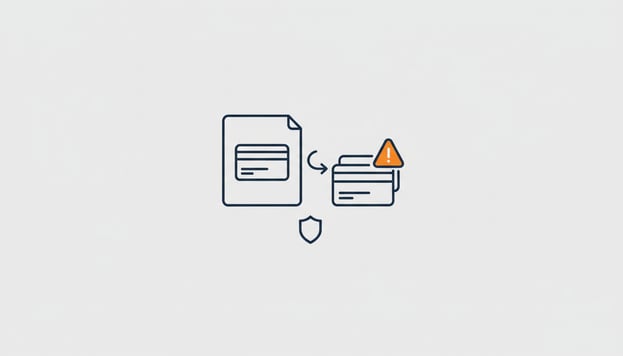
The invoice checks out. The supplier exists, the logo is real, the invoice number follows on from the previous one, the amount is what you expected. The only difference from the last six invoices is the account number, and nobody notices, because who compares an IBAN? That is invoice fraud in its most common form, and it works precisely because everything around it checks out. In this article you will read how it happens, what your bank has been doing about it since last year, and how to catch it in your own purchasing process before payment goes through.
How it works in practice
A criminal gains access to a supplier's mailbox, or sets up a domain that is one letter off. From there an email goes out to the customers: "our account number has changed, please use this IBAN from now on", often with a genuine invoice attached. Sometimes the pdf of a real invoice is simply edited. The customer updates the account number in their records, pays the invoice, and three weeks later the supplier calls to ask where their money is.
The amount is usually not spectacular. That is intentional: an invoice of 4,000 euros does not stand out, and the fraudster would rather have ten of those payments than one large one that someone follows up on.
What your bank has been checking since 2025
Since October 2025 banks in the euro area must check, with every transfer, whether the name you enter matches the account holder of the IBAN, and warn you if it does not. That catches part of this fraud: if the account is in a different name than the supplier, you see a notification before you confirm.
But it is not a watertight net. The check is about the name that you type in, and anyone who trusts the altered invoice types the supplier's name against the new number, sees the warning, and thinks "they must have a new account". On top of that, a large share of business payments runs through a batch from the accounting system, where that warning is less noticeable. The bank checks at the last possible moment; you want to know sooner.
Where to catch it in your own process
The question you want to ask with every purchase invoice is simple: is this the same account number as last time? Nobody does that consistently by hand. The Purchase Invoices module does it with every invoice that comes in.
When the invoice is read, the IBAN is compared with what is known about this supplier: the account number in Exact Online and the account numbers on earlier invoices. If it differs, the invoice gets a clear warning and weighs more heavily in the risk score. If it is the first invoice from a supplier whose account number is not yet known, you see that too, because that is exactly the moment a fraudster likes to step in.
If you want to be sure that such an invoice does not slip through by accident, you make it a rule in plain English: "if the account number differs, hold the invoice and warn the bookkeeper". From that moment the invoice stays put until someone has called the supplier, on the phone number you already had, not on the number in the email.
Four habits that reduce the risk further
- Always call back when there is a new account number, on a number from your own records. A genuine supplier never minds that.
- Never change an IBAN based on an email alone. Not even if the email appears to come from the right domain.
- Look at the sender, not the name. A one letter difference in the domain only shows up when you write out the address.
- Record the check. If you have called, note it with the supplier. At the next change you will know what the outcome was last time.
Benefits and points of attention
The benefit of an automatic comparison is that it is never skipped because things are busy, and that the invoice stays put until someone has made a deliberate decision. That is the control you also want to be able to show in the event of an insurance claim.
Two things it does not solve. A supplier that really does switch banks will trigger a warning you need to handle, which is a phone call, not an error. And the very first invoice from a new supplier has no history to compare against, so there the check remains a deliberate step in your own process. The module makes that moment visible, the decision stays yours.
Ready to get started? Start your free trial →
Try these questions in your own AI assistant
- "Which purchase invoices from this month have a different account number than the previous invoice from the same supplier?"
- "For which suppliers is no account number yet known in the records?"
- "Hold invoices with a changed account number until I have released them."
Frequently asked questions
At almost nothing, and that is the problem: the supplier, logo, number and amount all match, only the IBAN is different. The only reliable check is to compare the account number with what you already know from this supplier, and in case of a discrepancy call a number from your own records.
Since October 2025, your bank checks during a euro transfer whether the name entered matches the IBAN and warns you about any discrepancy. That helps, but it happens at the last moment and the warning is often clicked away. A check when the invoice comes in is earlier and is recorded.
The account number on the invoice is compared with the number in Exact Online and with earlier invoices from the same supplier. If it differs, the invoice gets a warning and a higher risk score, and with a rule you hold it until someone has called the supplier.
Then you get the same warning and you call the supplier on a known number. If it is correct, you release the invoice and the new number is recognised as known from then on. One phone call per change is the price of certainty.
Partly. There is no account number yet to compare against, so the module flags the invoice as "new supplier, account number not yet known". The decision to pay then remains a conscious step; the module makes it visible.