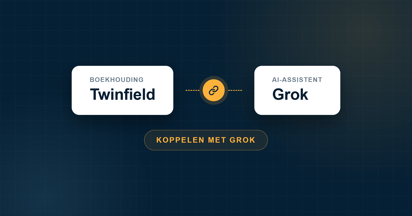
Connect your Exact Online administration to Grok and ask your bookkeeping questions in plain language. From outstanding invoices to revenue per quarter, you ask and Grok pulls it straight from your administration. This works on any Grok account, including a free one.
Do you want to connect Exact Online with Grok? Grok, the AI assistant from xAI, lets you add your own connector on any account. Exact AI Connect is in place within a few minutes, and after that you simply query your bookkeeping in the chat. The answer comes straight from your live administration in Exact Online.
Below you can read how to connect Grok to Exact Online, what you can ask and what to watch out for. Looking for the general explanation, separate from a specific AI tool? You can find it in How does the Exact AI Connect connector work?
Does Grok work with Exact Online?
Yes. Grok works with Exact Online through Exact AI Connect. The connector uses MCP (Model Context Protocol), the open standard with which an AI assistant connects to your own tools and data. In Grok such a connector is called a custom connector. You add it on grok.com, authorise it once with Exact Online and then ask your questions in the chat.
Connecting Exact Online with Grok, step by step
This is the connector link you add to Grok:
https://mcp-exactonline.iwebdevelopment.com
Works on any Grok account, including a free account. If you use Grok Business or Enterprise, an administrator adds the connector for your organisation first.
1Go to grok.com/connectors.
2Click New Connector and choose Custom.
3Give the connector a name (for example Exact AI Connect) and paste the connector link into the field for the server URL. Click Add Connector.
4A window from Exact Online opens. Log in and click Authorise. You only need to do this once.
5Start a new chat and ask your question. Grok uses the connector by itself as soon as your question is about your bookkeeping.
Tip: if Grok hangs after logging in, the login window was probably closed too early. Cancel and add the connector again. Do you get an answer, but not from your own figures? Then mention Exact AI Connect literally in your question.
What can you ask Grok about your bookkeeping?
With the connector active, you query your administration directly. Grok retrieves the figures from Exact Online and can, once you approve, also create or adjust data. A few examples:
"Which invoices have been outstanding for more than sixty days, and for which customers?"
"How does my revenue this quarter compare to the same quarter last year?"
"Which suppliers did we spend the most with this year?"
"Create a new relation with these company details."
If you want Grok to create or adjust something, you first see a proposal in the chat. Only after your approval is it recorded in Exact Online. A complete overview of the possibilities can be found in How does the Exact AI Connect connector work?
Is the connector with Grok safe?
Your bookkeeping data stays in Exact Online. You log in through Exact Online's own secure authorisation, so you do not share your password with Grok, and you can revoke access whenever you want. More about security and privacy can be found in the general connector article.
Please note: by default, Grok uses conversations to improve its models. If you work with financial data, turn this off via Settings → Data Controls by disabling Improve the model.