Requesting revenue figures through Claude, generating a quarterly report within two minutes. AI in bookkeeping saves hours per week, that much is clear by now. But there is a side that gets less attention: how do you use AI in a way that is not only fast, but also responsible?
Financial data is sensitive. Customer details, invoice amounts, bank information, supplier agreements and more, these are details you do not simply entrust to just any software. That is why responsible use of AI is not a matter of blind trust, but a way of working.
Responsible use starts with you
The technical security of an AI connector can be watertight. ISO 27001 certified, independently pentested and encrypted connections form the basis. But technology alone is not enough. The way you use the connector makes the difference between a reliable assistant and a source of errors.
Compare it to online banking. Your bank has the best security in the world, but if you stick your PIN on a Post-it or approve transfers without thinking, no amount of security will help. The same applies to AI in your bookkeeping. The connector protects your data, but you protect the work process.
Check the AI
AI is not an oracle, it is a tool that formulates answers based on the data it retrieves. Sometimes that answer is exactly right, and sometimes it is not because context is missing. A revenue overview without a filter for a period gives a different picture than the overview of only this quarter.
That is why we offer this rule of thumb: treat AI output the way you treat a report from a junior employee. Read it, check the figures and ask a follow-up question if something is off. "Are these all the invoices or only the paid ones?" That kind of question.
The AI connector helps you arrive at the right answer. With every write action, the creation of an invoice or the modification of customer details, the connector first shows a preview. The action is only carried out after your confirmation. When processing amounts above 10,000 euros and delete actions, you receive extra warnings. Not optional, but standard.
Access management
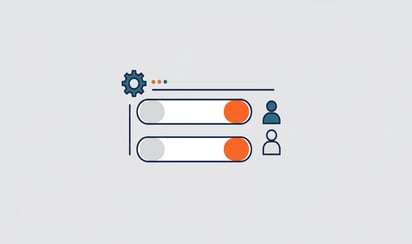
Not everyone in your organisation needs the same access. The AI connector respects the rights you have set up in Exact Online. Does an employee only have read rights on invoices? Then the AI can only view invoices for that employee too, not create or change them.
You select yourself which administrations the connector may access. Start with one administration to try it out. Add more later once you have built up confidence. Every user logs in separately, every action is logged. No shared accounts, no confusion about who did what.
Insight into the data flow
The biggest concern we hear: "Does my bookkeeping data end up in the AI?" The short answer: your data is never used to train AI models. Every question is answered separately with your own figures, from your own administration, through the official Exact Online API. For more complex analyses, the AI works with a private analytics environment in the EU that has been set up for you, shielded per administration.
Your figures stay yours. The AI reads along through your own OAuth authorisation, and for deeper analyses it works with a private environment in the EU that is shielded per administration. The AI uses that data only to answer your questions, not for AI training, other customers or resale. You always keep full control through OAuth, the data is always secured through the ISO 27001 certified infrastructure and you can disconnect any administration directly whenever you want.
The connector works through MCP (Model Context Protocol), the open standard that connects AI assistants to software. That standard explicitly states that data may not be forwarded without permission, and this is part of the architecture.
A series in four parts
This article is the starting point of a series about responsible AI use in bookkeeping. In the coming articles we take a closer look at the practice:
Every step brings you closer to a way of working in which AI saves you time without making concessions on security or accuracy.
Want to try it yourself? Start for free with Exact AI Connect →








.png)