An invoice overview only tells half the story
You want to know which customers wait the longest to pay and whether that correlates with their revenue. That answer is not found in a single table. You need outstanding items, combined with invoice amounts and customer data. Manually you connect that in Excel. With the Exact AI connector you simply ask the question.
This article builds on the basic questions you can ask the AI connector. If you are not yet familiar with those, start with what you can and cannot ask the AI. Here we go a step further: questions that combine multiple tables.
How the AI combines tables
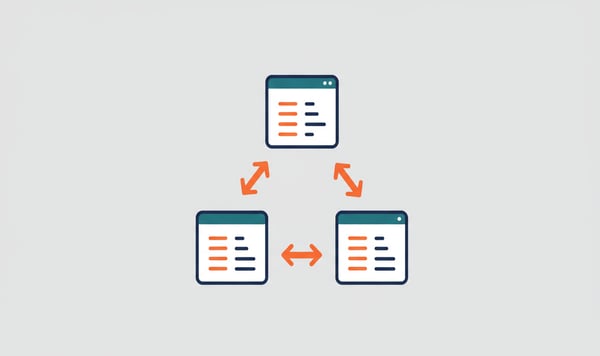
The connector has access to dozens of tables in your Exact Online administration: invoices, customers, transactions, items, outstanding items and more. With a complex question the AI automatically searches the right tables and makes connections.
But automatic does not mean error-free. The more specifically you indicate where the AI should search, the more reliable the result.
Example prompts for common scenarios
Outstanding items with payment condition
"Show all outstanding debtors with their payment condition and the number of days the invoice has been outstanding. Use the receivables table and connect the payment condition from the customer data."
This combines the receivables (outstanding items) with account data (payment conditions) and calculates the age per invoice.
Revenue per customer with item details
"Give the top 10 customers by revenue for this quarter, with the three best-selling items per customer. Use SalesInvoiceLines for the invoice lines and connect item names from the Items table."
Here the AI combines invoice lines with item data and groups by customer.
Margin analysis
"Calculate the gross profit per product group: revenue from SalesInvoiceLines minus cost price from Items. Show the top 10 by margin."
This requires a join between invoice lines and items, with a calculation on top.
Payment behaviour versus revenue
"Compare per customer the average payment term (from receivables) with their annual revenue (from SalesInvoices). Sort by longest payment term."
Transactions at a specific customer
"Show all transaction lines of customer De Vries Trading from the transaction table, grouped per general ledger account. Add the general ledger account name from GLAccounts."
Tips for reliable results
Name the tables explicitly
The AI knows the table structure of Exact Online, but with ambiguous questions it may choose the wrong table. "Outstanding invoices" can lead to SalesInvoices (all invoices) instead of Receivables (only outstanding items).
| What you mean |
Correct table |
Wrong choice |
| What customers still owe you |
Receivables |
SalesInvoices |
| What you still owe |
Payments (payables) |
PurchaseInvoices |
| All booking lines |
TransactionLines |
SalesInvoiceLines |
| Item data and prices |
Items |
SalesInvoiceLines |
Specify the fields for amounts
Exact Online has two types of amounts:
- AmountDCDivision Currency: amount in your administration currency (usually euro)
- AmountFCForeign Currency: amount in the original invoice currency
For reports and totals you almost always use AmountDC. Otherwise you add euros and dollars together.
"Add up the revenue using the field AmountDC, not AmountFC."
Watch out for the 60-records limit
By default the connector retrieves a maximum of 60 records per request. With large datasets that is not enough. You then have two options:
- Filter more specifically: add a date range or customer name
- Use the Analytics subscription: this lets you analyse full datasets without a limit, including joins between tables
Build up step by step
Start with a simple question and expand:
- "Show the outstanding debtors" (basic list)
- "Add the payment condition per customer" (first join)
- "Group by payment condition and total the outstanding amount" (aggregation)
This way you check at each step whether the AI uses the right data.
Essentials vs. Analytics for complex questions
| Capability |
Essentials |
Analytics |
| Simple lookup questions |
Yes |
Yes |
| Filtering and sorting |
Yes |
Yes |
| Combining 2+ tables |
Limited (max 60 records) |
Yes (full datasets) |
| Aggregations (sum, average, top N) |
Limited |
Yes |
| Trend analyses over longer periods |
No |
Yes |
With the Essentials subscription you can make simple combinations, but with larger datasets you run into the record limit. The Analytics subscription is designed for exactly this kind of analysis. Read the article Essentials or Analytics for an extensive comparison.
Want to try it yourself? Start for free with Exact AI Connect →








.png)