.png)








Creating customers manually in Exact: a waste of time you can avoid
Ten minutes per customer. Fifteen deals per month. That adds up to four hours of manual work you can avoid with an automatic connector.

Ten minutes per customer. That sounds like nothing until you multiply it by fifteen new deals a month. Suddenly you are spending four hours a month retyping names, addresses and VAT numbers from your CRM, such as Hubspot, Salesforce or Pipedrive, into Exact Online. For an accountancy firm with fifty relations a month that is a full working day. And that is just the data entry, not the time spent tracking down the mistakes you make along the way. Creating customers automatically in Exact saves those hours and prevents the errors you never see coming.
What exactly happens with every new customer
You close a deal in your CRM. The customer agrees. Now the administrative work begins.
You open Exact Online, navigate to relations and click "New". You retype the company name. You look up the Chamber of Commerce number through the Kamer van Koophandel. You copy the VAT number. You fill in the address, street, house number, postal code, city. You assign an accounts receivable number. You set the payment term, fourteen days, thirty days, sixty days. You save.
For a single customer this takes ten to fifteen minutes. That includes switching between screens, looking up data and checking that you did not forget anything.
With fifteen new customers a month you end up at two and a half to four hours. An accountancy firm that processes fifty new relations a month spends eight to twelve hours on it. Every month. Every year again.
The mistakes you do not see until it is too late
The real problem is not the time. It is the mistakes you make without noticing.
Typos in VAT numbers: You type NL812345678B01 instead of NL812345679B01. One digit different. You do not notice it during entry. You do not notice it during invoicing. You only notice it when the Tax Authority rejects your VAT return. Or worse, when an intra-community supply to a Belgian customer is refused because the VAT number is incorrect. That is not a small administrative slip. That is a fiscal risk.
Duplicate relations: One colleague creates "Jansen & Co BV". Another types "Jansen en Co B.V." Exact Online treats these as two different relations. The result is that invoices are spread across two accounts, your outstanding items list is wrong and your customer receives duplicate reminders.
Wrong payment terms: The default in Exact Online is thirty days. But you agreed on fourteen days with this customer. If nobody adjusts the payment term, you book the difference two weeks too late and in the meantime your cash flow forecast is off.
Missing data: No SEPA mandate? No big deal, until you wait months for the payment. Email address not filled in? Then your invoicing system has nowhere to send the invoice.
Why this problem is growing
Dutch SMEs are catching up. In 2024, 9% of SMEs used AI tools in their daily work. In 2025 that is 41%. Companies are automating their marketing, their customer service and their sales pipeline, but the bridge between CRM and bookkeeping stays manual work.
That is strange. Because it is exactly that bridge, the moment a deal turns into a financial relationship, where mistakes cause the most damage. A typo in a marketing email is annoying. A typo in a VAT number costs money.
Manually retyping customers is the kind of work everyone considers "normal", until you take it away. Then you wonder why you ever did it by hand.
What Exact Online needs to create a customer
Exact Online works with accounts through the CRM/Accounts module. To create an account, technically only one field is required: the company name. But in practice you want to include more to make the account usable right away.
These are the fields that matter:
| Field | Required? | Why it matters |
|---|---|---|
| Name (company name) | Yes | No name means no account |
| VATNumber (VAT number) | No, but essential | Needed for correct VAT return and ICP |
| ChamberOfCommerce (Chamber of Commerce) | No, but recommended | Legal identification |
| PaymentCondition | No, but critical | Determines the payment term on invoices |
| No | Needed for digital invoicing | |
| Phone | No | Contact details |
When you fill in these details by hand, you make the same trade-off every time: what do I enter now and what do I leave for later? "Later" often becomes "never".
A connector between your CRM and Exact Online removes that trade-off. The data already in your CRM, such as company name, address, Chamber of Commerce number and VAT number, is sent along automatically. No retyping, no forgotten information and no typos.
How a connector solves this
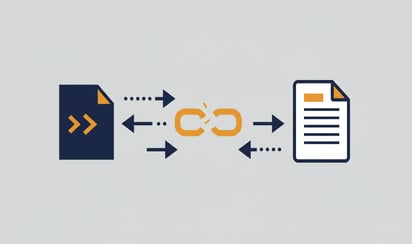
The principle is simple. Your CRM holds customer data. Exact Online needs that data. A connector makes sure the details end up in the right place automatically at the relevant moment.
In practice it works like this: as soon as a deal in your CRM gets the status "won", the connector checks whether the customer already exists in Exact Online. If not, the account is created automatically with all available data. If so, any changes are updated.
That means:
- No duplicate accounts. The connector matches on the Chamber of Commerce number or VAT number, not on a company name that can have ten different spellings.
- No missing fields. Everything in your CRM comes along. Including the payment condition you agreed on with the deal.
- No delay. The account exists in Exact Online by the time your colleague wants to create the first invoice.
- No manual work. Zero minutes per customer. Not ten, not five: zero.
What this actually delivers
The time saving is the easiest to calculate. At fifteen customers per month you save two and a half to four hours. At fifty customers per month, which is realistic for an accountancy firm or growing business, you save eight to twelve hours.
But the value is not only in hours. It lies in the confidence that your data is correct. That your VAT return is accurate. That your list of outstanding items is reliable. That your cash flow forecast is based on the right payment terms.
And it lies in speed. The time between "deal won" and "invoice sent" shrinks from days to minutes. That is good for your cash flow and good for your professionalism toward clients.
Whichever CRM you use
Whether you work with HubSpot, Salesforce or Pipedrive, the principle is the same. Customer data should land in your accounting automatically. The days of retyping are over.
Want to see how it works for the next step, from quote to invoice without manual work? Then read how to automate the entire process from quote to invoice.
Want to try it yourself? View the HubSpot connector →