Checking a supplier: KVK, VAT ID and IBAN in one go
One in six entrepreneurs has already bought from a company that does not exist. Three checks that together take five minutes and that your AI assistant largely does for you.
Research by the Dutch Chamber of Commerce (KVK) from May 2026 shows that 55 percent of entrepreneurs do not check the KVK number of a new business relationship, and that one in six entrepreneurs has already bought from a company that turned out not to exist. That figure is no surprise, as checking feels like distrust, costs time and usually yields nothing. Until the one time it does yield something, and then it involves an advance payment that is gone or an invoice with 21 percent VAT that you can never reclaim. In this article a routine that takes five minutes, with three checks that each answer a different question.
Three questions, three registers
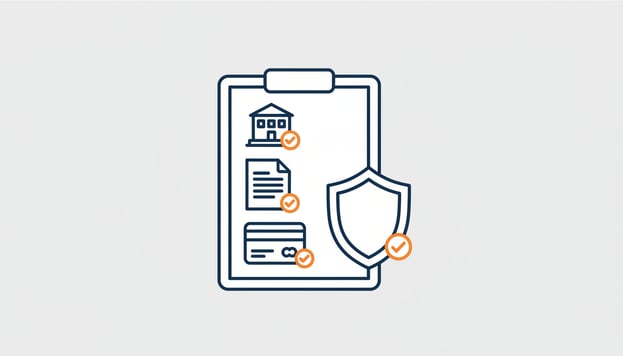
Checking a supplier is not a single check, because the risks sit in three places:
- Does this company exist, and is it who it says it is? That is in the KVK Trade Register.
- May I invoice without VAT, or reverse-charge the VAT, or reclaim the VAT? That depends on a valid VAT identification number, which you check through VIES.
- Is my money going to the right account? That is the IBAN, and you check it with your bank and against what you previously knew about this supplier.
Anyone who only checks the KVK number misses the second and the third. Anyone who only checks the IBAN may pay neatly to a company that no longer exists tomorrow.
Check 1: the KVK registration
Look up the company in the Trade Register, by name or by the KVK number on the quotation or the invoice. Five things to look at:
- Does the registration exist, and is it active? A company that has been deregistered no longer appears in the search results.
- Is the name correct? Compare the statutory name and the trade names with what is on the invoice. A trade name that appears nowhere in the register is worth a question.
- Is the address correct? The address of the main establishment should match the invoice address, or the difference should be explainable (a PO box, a second establishment).
- Does the activity fit? The SBI code says what the company does. An installation company that invoices software licences is not necessarily wrong, but it is striking.
- How old is the registration? A company that is three months old and asks for a large advance payment is the combination that most fraud cases begin with.
With the KVK and VAT verification module in Exact AI Connect you request this in one sentence from your AI assistant: "Look up supplier ... in the Trade Register and compare the name, address and activity with this invoice." The assistant retrieves the basic profile, including legal form, registration date, SBI activities, RSIN and address, and lays the differences side by side.
Check 2: the VAT identification number
The VAT number on the invoice must be valid at the time of the transaction. That is not a formality, because for an intra-community supply with 0 percent VAT, for an invoice with reverse-charged VAT and for the ICP declaration a valid VAT ID of the other party is a hard requirement. If the number is not correct, it is your problem during an audit, not the supplier's.
You check this through VIES, the European check on VAT numbers. Three things that most people skip:
- Check the name and address too. VIES can compare the stated company name and address with what that country's tax authority has registered. A valid number under a different name is exactly the pattern of a hijacked VAT number.
- Keep the verification number. If you supply your own VAT number during the check, you get a verification number back that records who checked which number and when. That is the piece of evidence an inspector wants to see; a screenshot is not.
- "Unable to verify" is not "invalid". If a member state's tax authority is temporarily unresponsive, you know nothing. Record that you tried and repeat it later.
The module does this in the same question as the Chamber of Commerce check: "Check whether VAT number DE... is valid and whether the name and address match", and returns validity, the matches on name and address and the verification number.
Check 3: the IBAN
You can check an IBAN on three levels, and only the third level truly protects you.
- The format. Every IBAN has a check digit, so a typo stands out. That says nothing about who owns the account.
- The name. Since 9 October 2025, banks in the eurozone have to check during a transfer whether the beneficiary's name belongs to the IBAN. You see this as a notice when entering the payment. Take that notice seriously: "name does not match" with a new supplier is a reason to call, not to click through.
- The history. The most dangerous IBAN is not a wrong IBAN on the first invoice, but a changed IBAN on the tenth. So record for every supplier which IBAN you have verified, and treat any deviation from it as a new supplier.
That last point is exactly what the Purchase Invoices module does automatically: with every incoming invoice it compares the IBAN with what was seen earlier for that supplier, and a deviation gets a warning and counts towards the risk score, before anything is posted.
The routine in five minutes
With a new supplier, when details change, and annually for the suppliers that receive the most money:
- Ask your AI assistant to look up the company in the Trade Register and compare the invoice details.
- In the same question, have the VAT number checked via VIES, with name and address, and keep the verification number.
- Enter the IBAN at your bank, look at the name check, and record the IBAN as this supplier's known account.
- Note the date, source and outcome with the supplier in your records.
Points 1 and 2 are one question together. Point 3 happens at your bank, and point 4 is handled by the Purchase Invoices module for the IBAN automatically with every next invoice.
Ready to get started? Start your free trial →
Try these questions in your own AI assistant
- "Look up ... in the Trade Register and compare the name, address and activity with this invoice data: ..."
- "Check VAT number ... via VIES with name ... and address ..., and give me the verification number."
- "Which suppliers in my records have a VAT number that I have never checked before?"
Benefits and points of attention
Benefits: the routine is short enough to do every time, two of the three checks happen in a single question, and you build up a file per supplier that an inspector will accept.
Points of attention: the Trade Register says nothing about creditworthiness or an ongoing bankruptcy; for that you need the insolvency register or a credit report. VIES checks the VAT status, not the reliability. And the name check at your bank works within the eurozone; for a supplier outside it, calling remains the best check.
Frequently asked questions
Look up the company in the KVK Trade Register by name or KVK number, and compare the statutory name, trade names, address and activity with the invoice. A company that has been deregistered no longer appears in the search results.
Yes, as soon as you invoice without VAT, reverse-charge VAT or submit an ICP declaration. A valid VAT identification number from the other party is a condition for this. Check it through VIES and keep the verification number as proof.
Then the number is not invalid but unknown: the tax authority of that country did not respond. Record that you tried, with the date and time, and repeat the check later.
Since October 2025 your bank checks whether the name matches the IBAN, so take a differing name seriously. On top of that, record the verified IBAN so that a changed IBAN on a later invoice stands out.
The KVK and VIES check can, in a single question, with the KVK and VAT verification module in Exact AI Connect. The IBAN check happens at your bank, and the Purchase Invoices module also automatically monitors whether an IBAN differs from what was seen earlier with that supplier.