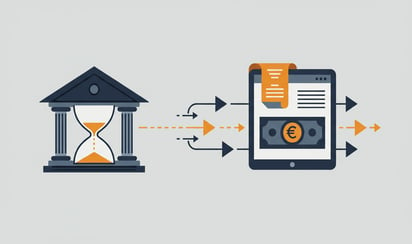
Reading about automatic bank imports is one thing. Seeing it work is another. In a 20-minute demo we show you exactly how bank transactions appear automatically in your bookkeeping, from bank transaction to posted entry.
What you see in a demo
We don't show PowerPoint slides. We show the system. Live, with real data.
Connecting a bank account: You see how the PSD2 authorisation works, from selecting your bank to the confirmation in your banking app. The whole process takes a few minutes.
Importing transactions: Once the connector is in place, the transactions flow in. You see them appear in your accounting package, with all the details the bank supplies: amount, description, counter account and payment reference.
Automatic matching: The most impressive part. You see how the system automatically links incoming transactions to outstanding invoices. A payment of 1,250 euros? It matches straight away with invoice 2024-0847 from the same debtor. Without anyone having to look at it.
Three scenarios: choose what suits you
Not every company is in the same situation. That's why we offer three demo variants.
Scenario 1: The freelancer or small business owner
You have one bank account, maybe two. Bookkeeping in Exact Online or Twinfield. The number of transactions per month is manageable, between 50 and 200.
In this demo we focus on convenience. How quickly is the connector set up? How much time do you save each week? And what does it cost?
Typical outcome: 30 to 60 minutes saved per week, from 7.50 euros per month.
Scenario 2: The growing SME
Several bank accounts, possibly at different banks. A bookkeeping department that processes transactions daily. Between 200 and 1,000 transactions per month.
In this demo we show how multiple banks come together in one dashboard. How the matching percentages rise as the system learns to recognise your transaction patterns. And how you keep manual corrections to a minimum.
Typical outcome: 3 to 5 hours saved per week, a match rate above 90%.
Scenario 3: The international company
Bank accounts in several countries, at different European banks. High transaction volume. Possibly multiple administrations in your accounting software.
In this demo we show the international options. Connectors with foreign banks via PSD2. Transactions in different currencies. And how everything ends up in the right administration.
Typical outcome: a full afternoon per week regained, plus real-time cash flow insight across all accounts.
What you can prepare
You don't need to install anything for the demo. It is handy to have the following ready:
- Your accounting package: so we can show the connector in your own environment
- A bank account with online access: if you want to test the connector live during the demo
- Your main questions: Write down beforehand what you want to know, then we make sure they are covered
No preparation is fine too. We can give the demo based on a test environment.
Practical information
How long does a demo take?
On average 20 minutes. If you have many questions or a complex situation, we plan 30 minutes.
Is the demo free?
Yes. No costs, no obligations.
Do I need technical knowledge?
No. We explain everything in plain language.
How does the demo take place?
Via a video call (Google Meet or Microsoft Teams) or by phone. Whatever you prefer.
What happens after the demo?
That is up to you. Want to get started right away? Then we help you with the installation, during the same call if you like. Want to think it over a bit longer? No pressure. We send you a summary of the points we discussed.
No demo needed? Get started yourself
Not everyone wants a demo. Some users prefer to start straight away. That is possible.
The bank connector can be installed on your own. You create an account, authorise your bank via PSD2, connect your accounting package and you are ready. Average installation time: 15 to 30 minutes.
And if you get stuck halfway, our helpdesk is ready to help. Via chat or phone.
What it costs
Transparency about prices is important to us. That is why there are no hidden pages or "contact us for a quote."
| What |
Price |
| Bank connector per account |
From 7.50 euro per month |
| Transaction costs |
From 12 cents per transaction |
| Contract |
Cancellable monthly |
| Installation service |
Free for new customers |
No annual contract. No setup fee. No surprises on the invoice.
The next step
You have read how it works. You know what it costs. Now you can see it. Plan a demo and discover within 20 minutes whether the bank connector fits your situation. Plan the demo →
Or skip the demo and start right away.
Ready to get started? Start your free trial →








.png)