.png)








Debtor management with AI: who still needs to pay and what you can do about it
Who still needs to pay? Here is how you request your ageing analysis with AI, have reminders written and keep a grip on your debtors.
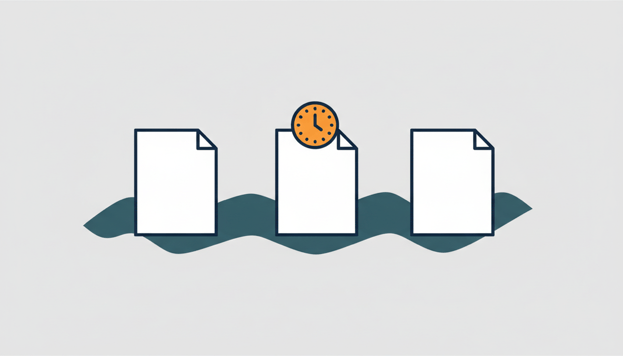
About a quarter of B2B invoices in Western Europe are paid after the due date, according to the Payment Practices Barometer for Western Europe 2026 from credit insurer Atradius. That is not a side issue. It is your working capital sitting in your customers' accounts.
Yet many entrepreneurs let their accounts receivable follow-up slide. Not out of reluctance, but because it is a hassle: running a report in Exact Online, going through the list, drafting emails, and doing it all again next week. With an AI assistant on your administration this becomes a conversation of just a few minutes. Below you can read how to request the ageing analysis in plain language, how the AI prepares a payment reminder for you and how you track the trend with DSO.
Request the ageing analysis in plain language
One question is enough: "Give me the ageing analysis of my accounts receivable." The only preparation is a one-time connector between your own AI assistant, for example Claude or ChatGPT, and your administration through Exact AI Connect. The AI reads the ageing report from Exact Online and summarises it for you.
In the reply you see per customer how much is outstanding and how old those items are: just overdue, more than 30 days, more than 60 days or even more than 90 days. That way you see at a glance where the money is and where the risk lies. And because it is a conversation, you simply keep asking: which invoices make up that balance, when did the oldest one fall due, is this a pattern? The AI points you with a direct link to the invoice in Exact Online, so opening the source document takes one click.
What such a conversation sounds like in practice
A realistic flow, without you having opened a single report yourself.
You: "Who still needs to pay? Sort by outstanding amount."
The AI puts your largest customer at the top, with three outstanding invoices, one of which is already well past the due date. Below that is a wholesale customer with one invoice that fell due last week. Per item you see the invoice number, the amount and the number of days since the due date.
You: "Is that normal for that wholesale customer, or does he usually pay on time?"
The AI looks at this customer's earlier invoices and reports that they have generally been paid neatly within the term. One late invoice is then more a forgotten payment than a problem case; a friendly reminder will probably do.
That is the difference with a static report. You get not just the list, but also the context to decide what to do with it.
Let the AI write the reminder, send it yourself
Anyone searching for an automatic payment reminder for Exact Online often hopes for a button that sorts everything out. The honest story: the AI never sends an email itself. What it does do is write a draft based on your outstanding items that you can adopt as is. Ask for example: "Write a friendly payment reminder for all invoices that have been outstanding for more than 30 days." You get a draft per customer with the correct invoice numbers, amounts and due dates, in the tone you choose: friendly for someone who is late once, more businesslike for someone who consistently drags things out.
After that you read it over, change what you want to change and send the mail from your own mailbox. That last step deliberately stays with you. It is your customer relationship, and a reminder that lands the wrong way costs more than it brings in. We believe sending should remain human work.
Measure your progress with DSO
Individual reminders remain treating symptoms if you do not know whether the underlying picture is improving. That is what DSO measures. Credit insurer Allianz Trade describes DSO (Days Sales Outstanding) as the average number of days that invoices stay open before the customer pays. The calculation: DSO = (accounts receivable balance / total revenue) × the number of days in the period.
Honestly, there is no reliable Dutch benchmark; the figures in circulation are dated or not focused on SMEs. So compare your DSO with your own history and with the payment term you agree. If you use 30 days and your average sits well above that, you know enough.
You simply ask your assistant this too: "How many days are my sales invoices open on average, and how is that developing this year?" For a trend analysis like that over longer periods the connector uses the analysis function; it is included in the trial period and in the analytics variant of the subscription.
Turn it into a short weekly routine
Accounts receivable management wins or loses on consistency. Schedule a fixed moment for it every week, Monday morning over coffee works well, and keep it small:
- Request the ageing analysis and scan what has newly fallen due since last week
- Have draft reminders written for the items that are due
- Send the mails and note down the payment arrangements that customers make
- Watch the outliers: a customer with a large balance deserves a phone call, not a third mail
It need not take much time. If your sales team works in a CRM, make it visible there too who still has to pay; you can read how to approach that in our article about payment status in your CRM.
Frequently asked questions
Can AI send payment reminders automatically?
No, and that is a deliberate choice. The AI drafts the concept, complete with invoice numbers and amounts, but you do the sending yourself. That way you keep control over the tone towards your customers.
How do I see in Exact Online who still has to pay?
Exact Online has the ageing report and the outstanding items list for that. With a connected AI assistant you do not need to look up those reports: you ask in plain English who still has to pay and get back the list with amounts and ageing.
What is a good DSO?
There is no reliable Dutch benchmark for that. Look at your own trend: if your DSO is moving towards the payment term you agree, you are doing well. If it is rising, that is the signal to tighten up your follow-up.
Is it safe to give AI access to my accounts receivable?
Yes, certainly if you set the AI to read-only. You can read how to configure those permissions in our article about AI permissions in your accounting. Exact AI Connect is also ISO 27001 certified and independently pentested. We only store financial data with the Analytics subscription, in a secure analysis environment within the EU that we delete as soon as you stop.
Example prompts for your accounts receivable management
Copy these questions into your connected AI assistant and adapt them to your own debtors:
Give the ageing analysis of my debtors.
Who still needs to pay? Sort by outstanding amount.
Write a friendly payment reminder for all invoices that have been outstanding for more than 30 days.
How many days on average are my sales invoices outstanding, and how is that developing this year?
Want to try it yourself? Start for free with Exact AI Connect →
Frequently asked questions
En dit is het antwoord.