.png)








Twinfield for accountants: query your portfolio with AI
Creating a report, waiting, downloading is no longer necessary. This is how you ask the same control question to every Twinfield administration, in plain English.
How many client administrations run in Twinfield at your firm? Dozens, maybe hundreds? Chances are that querying them costs more time than managing them: create a report, wait for it to be ready, download it, and then on to the next administration.
That can be more direct. With an AI connector you ask the same control question in plain English to every administration in your portfolio, with the answer and the underlying figures included. What this looks like in practice starts with where Twinfield itself is strong and where it is clunky.
Made for firms, but querying costs clicks
In comparisons and reviews Twinfield is known for its strong presence at accountancy firms that manage multiple client administrations. The multi-administration management, dozens to hundreds of client files from a single environment, regularly comes up as its biggest strength. It is software for professionals who work in it daily, not primarily for the entrepreneur themselves.
Users also point out where it chafes, and that lies mostly on the querying side. You rarely get a report in one click: create, wait, retrieve. Anyone who wants the source data clicks through screens and filters. And portfolio-wide insight is not there: each administration works within its own financial model, so for questions across clients you switch between environments or export to external tooling.
None of this makes Twinfield a bad package. It does mean that a reviewing accountant spends a lot of time retrieving figures that have been there all along.
Ask your control question in plain English
With Twinfield AI Connect you connect your own AI assistant, for example Claude or ChatGPT, directly to Twinfield. The connector runs via MCP, the open connector standard for AI assistants; how that works technically you can read in our explanation of the Twinfield connector. More important in practice: every answer comes straight from the administration itself.
The connector works with what Twinfield already keeps track of:
- Trial balance, profit and loss statement and balance sheet, straight from the general ledger totals per period and per account; no report needed for that
- Drilling down into the underlying transactions: general ledger, bank and cash, or the accounts payable side
- Outstanding accounts receivable and payable as a list
- Searching customers, suppliers and the chart of accounts by name or code
Writing is possible too. Creating relations, sales invoices, entries and reconciliation all run through the same connector, always with an explicit confirmation step: the AI presents the change, you approve it. For trends over longer periods and large aggregations there is also the analysis function, provided the administration has been synchronised for it.
Work through your portfolio, administration by administration
First the honest limit: this is no magic solution that adds up fifty administrations in one question. Authorisation applies per administration and per user, so the AI only sees what you are allowed to see, and a question always concerns the administration that is selected at that moment.
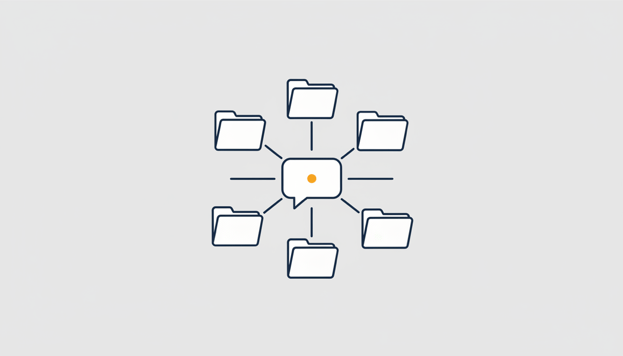
The real benefit is in the repetition. You phrase a control question once, for example whether there is still something on the suspense account for cross entries. The AI answers it for the first client, and after that one sentence is enough: same check for the next administration. This way you run a fixed control programme through the portfolio, from suspense accounts to debtor ageing, with the deviations listed per client.
What used to be a cycle of creating, waiting and downloading per client is now a conversation that you work through. And because the answers come from the administration itself, you don't have to retype or export anything.
Keep control as an accountant
For a firm, alongside speed, verifiability matters most. That is why the AI never makes a change unprompted; every write action waits for your confirmation. You set write permissions per role, from full to read-only, and you can put a daily limit on changes. The AI flags and suggests, the accountant decides.
The connector is ISO 27001 certified and independently pentested, and we are an official Twinfield partner. We are precise about data storage: with Essentials we store no financial data, every question goes straight to Twinfield. With Analytics the large analyses run on a secured copy of the administration within the EU, and we delete that copy as soon as you stop.
Example prompts for your portfolio check
Copy these questions into your connected AI assistant and adapt them to your own control programme:
Show the trial balance for period 6 of this administration.
Is there anything on the suspense account for cross entries? Show the transactions behind it.
Which debtors in this administration have been open for more than 90 days?
Same check for the next administration.
Which general ledger accounts deviate more than 25 percent from last year this year?
Want to try it yourself? Start for free with Twinfield AI Connect →
Frequently asked questions
No. You ask your question per administration; the AI or you select the relevant client and repeat the check. Because you only formulate the question once, each following administration takes a single sentence. This way you work a fixed check through your entire portfolio in a structured manner.
Yes, provided you set it up properly. The connector is ISO 27001 certified and independently pen tested, and you decide for yourself whether the AI may only read or also write. With Essentials we store no financial data: every question goes straight to Twinfield. With Analytics large analyses run on a secured copy within the EU, which we delete as soon as you stop. Read more in our article on handling accounting data and AI safely.
Essentials costs €29 and Analytics €79 per user per month, with 1 administration included; extra administrations cost €10 to €25 each, depending on the number. With annual payment you get a 10% discount. You start with a 30 day free trial, with a maximum of 3 administrations during the trial period, and after that you can cancel monthly.
Yes. Relations, sales invoices, bookings and reconciliation can all be done through the connector, but the AI never processes anything without you explicitly confirming the change. If you prefer not to, you lower the write permissions per role or choose fully read-only.
With the assistant you already use: ChatGPT, Claude, Gemini, Copilot or Perplexity. You connect once and then ask your questions in plain English; no programming required.