.png)








How safe is your accounting data with AI? Facts and tips
Your financial administration contains sensitive data. It makes sense to have doubts about an AI connector. Discover the seven security layers that protect your data.
Your financial records contain everything: customer names, revenue figures, outstanding invoices, supplier agreements. It makes sense that you hesitate before letting an AI connector loose on that. That hesitation is healthy, and we encourage it. But the facts show that a professional connector actually protects your data better than the way most SME businesses work today.
How is your data processed?
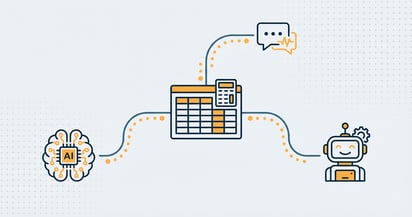
Many people think their bookkeeping is "sent to the AI". That is not correct. Here is how it works:
- You ask Claude or ChatGPT a question
- The AI sends a structured request to the connector
- The connector retrieves exactly the requested data from Exact Online
- Exact Online sends back only that answer
- The AI phrases an understandable answer for you
Your bookkeeping stays in Exact Online, where it belongs. Our AI only reads what you request, through the official Exact Online API with your own OAuth permission. For more complex analyses across large datasets, the AI works with a private analytics environment in the EU, encrypted and separated per administration. You decide which administrations are included and can revoke the connection at any time. Want to understand exactly how the connector works technically? We explain it in our article about the Model Context Protocol.
Bank-level security for your bookkeeping
The connector uses OAuth 2.0, the security standard that banks and Google also use. Here is how it works:
- You log in to Exact Online with your own credentials
- You decide which administrations the connector may access
- The connector receives a digital key that only grants access to what you have approved
- You revoke the permission at any time, directly through Exact Online
Your password is never shared with the connector or the AI.
Seven layers of security
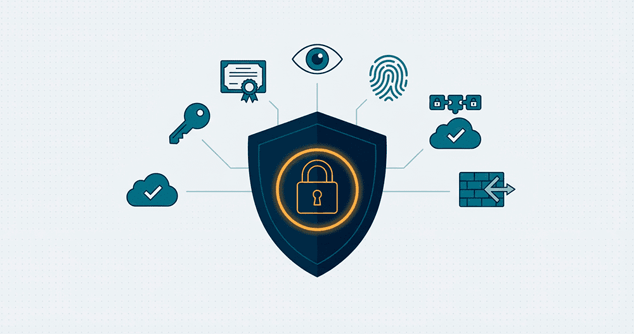
The connector does not rely on a single security measure. Seven layers work together to protect your data, from encryption to independent testing.
| Measure | What it does |
|---|---|
| OAuth 2.0 | Authorisation without passwords, the same standard as your bank |
| HTTPS | All communication encrypted during transport |
| AES-256 encryption | All stored data and access keys encrypted, the same encryption as online banking |
| Write protection | Every change requires your explicit confirmation |
| Audit log | Every question and action is recorded automatically |
| ISO 27001 | Annually audited certificate for information security |
| Independent pentest | Security research by a professional external party |
Our approach: security as a foundation
We do not see security as a checkbox but as an ongoing process. At iWebDevelopment, information security is woven into everything we build. It is not something we add afterwards.
ISO 27001 certified. This is not a one-time stamp. ISO 27001 is an internationally recognised standard that is audited every year by an independent certification body. That means our processes, our infrastructure and our way of working are tested again each year against strict requirements for information security.
Independent pentest. We have our work assessed by a professional external security party. They actively try to find vulnerabilities in our connector, our servers and our code. We use the results to keep improving. Not because we have to, but because we want to know ourselves.
Official Exact Online partner. iWebDevelopment is a recognised Exact Online partner. That means our connector meets the technical and security requirements Exact Online sets for parties that integrate with their platform.
Our experience is that many SME businesses worry about AI security, while their current way of working (Excel files by email, shared passwords) carries far greater risks.
Safer than your current way of working
Compare it for yourself:
| Risk | How it often goes now | With the AI connector |
|---|---|---|
| Excel files by email | Unencrypted, no control | No longer needed |
| Sharing passwords with colleagues | Happens daily | Everyone has their own authorisation |
| Bookkeeping data on a local laptop | Risk of theft or crash | Encrypted, EU-hosted |
| Manual errors when copying over | Human and unavoidable | AI retrieves data directly |
| Audit trail | Usually absent | Automatic with every action |
For most SME businesses, the connector is an improvement on their current security level.
Common concerns
Understandable questions we hear regularly, with honest answers.
"Does my data go to OpenAI or Anthropic?"
When used via the API (as the connector does), strict conditions apply: your data is not used to train AI models, is processed temporarily and then deleted. This is fundamentally different from manually pasting figures into the free ChatGPT interface.
"What if there is a data breach?"
All stored data is encrypted with AES-256. If an access key is compromised, only the Exact Online API is reachable, not your entire administration. You revoke the key through Exact Online and the risk is neutralised immediately.
"What if someone hacks my AI account?"
Even then, your bookkeeping is not simply accessible. The attacker also needs a valid Exact Online access key, and every write action requires your explicit confirmation. On top of that, the audit log records everything, so unauthorised activity is immediately visible.
"Is it GDPR-proof?"
Yes. The connector offers a data processing agreement, processes data within the EU and records exactly which data is requested. Inform your employees about its use and mention AI tools in your privacy policy. Read more about the legal frameworks in our article about the EU AI Act for SMEs.
What to look for in a provider
Not all AI connectors for Exact Online offer the same level of security. Check:
- Is the provider ISO 27001 certified?
- Has an independent pentest been carried out?
- Is data stored and processed in encrypted form?
- Are access keys stored encrypted?
- Is there a complete audit log?
- Can you disconnect the connector at any time?
- Is the provider an official Exact Online partner?
Start by reading, build trust
- Start with read-only: Use the connector first to request data, without write operations
- Test with a trial administration: Build trust during the free trial period. In our step-by-step guide you can read how to be up and running within 5 minutes
- Set up internal policy: Decide who may use the connector and for what
- Monitor the audit log: Periodically check which questions have been asked
Want to try it yourself? Start free with Exact AI Connect →