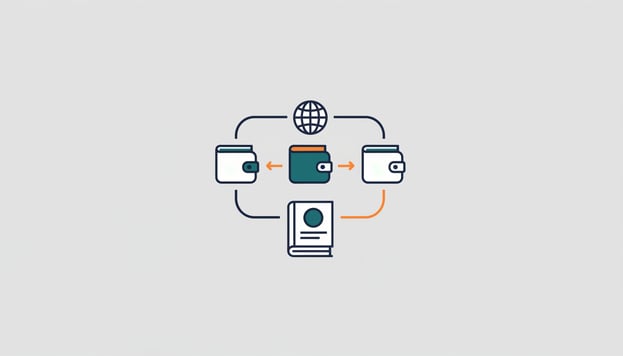
More and more entrepreneurs have a second account with Revolut or Wise alongside their Dutch bank, for payments in dollars or pounds, or they receive money through PayPal from clients outside Europe. Convenient, until the bookkeeping starts: those transactions are not in your bank journal, the costs are hidden in the amount paid out, and the exchange rate differs every time. In this article you will read how to connect these three services to Exact Online, what comes in as a result, and how to book them without manual work.
What is different about these accounts
A regular bank account produces one line per transaction: amount, counterparty, description. With PayPal, Revolut and Wise something is added to that.
With PayPal you receive the amount minus the transaction costs, and those costs do not appear separately on a statement. With Wise and Revolut you pay in one currency and the service settles in another, at the rate of that moment, sometimes with a separate cost line. And all three have several "pots" per currency, which you want to see in Exact as separate bank accounts, each with its own currency.
Anyone doing this by hand exports an overview every month, calculates the costs and books the exchange differences afterwards. That works, until you skip a month.
How the connector works
Our international bank connector retrieves the transactions from your account through secure Open Banking connections and places them as bank lines in the bank journal of Exact Online, four times a day. You log in once at your bank or payment service to give permission; we never have access to your login details. Connecting takes ten minutes: authorise, choose the bank journal in Exact, activate.
The connector supports more than 2,300 banks and payment services in Europe, including PayPal, Revolut and Wise, and works with multiple currencies. If you have a euro, dollar and pound account with Wise, you connect those as three accounts, each to its own bank journal with the correct currency in Exact.
What you book next
Once the lines are in Exact, everything proceeds as with any bank. A receipt from a client you reconcile against the outstanding invoice; with the Reconciliation module this happens automatically on invoice number or amount. A payment to a supplier goes to the purchase invoice. The transaction costs of the service you book to a cost account, and the exchange difference arises automatically in Exact as soon as you reconcile an invoice in euros with a receipt in dollars.
Two tips from practice. Set up a separate bank journal per currency; one bank journal with mixed currencies is the start of a mess. And book the costs of the service not per transaction but on the basis of the monthly cost specification, then your bank journal always matches.
What it costs
The international bank connector costs 7.50 euros per month for the first account and 2.50 euros per extra account, plus an amount per imported transaction: 0.20 euros up to 100 transactions per month, decreasing to 0.12 euros above 1,000. You try it free for 30 days and cancel monthly. For a Wise account with 60 transactions per month you therefore end up at 7.50 plus 12 euros.
Benefits and points of attention
The benefit is that your international money flows run along in the same rhythm as your Dutch bank: four times a day, without export, without a monthly catch-up. And your cash flow is correct, in dollars too.
Two things to know. The permission you give to the service expires after a fixed term and you then have to renew it; the connector reminds you. And the costs a payment service charges do not come in as a separate line if the service itself does not deliver them as a transaction; the monthly statement then remains the source.
Want to try it yourself? View the international bank connector →